** install prereq for guest additions **
yum install gcc
yum install kernel-dev
yum install kernel-uek-devel
** checkinstall のinstall***
$cd /usr/local/src/
$wget http://asic-linux.com.mx/~izto/checkinstall/files/source/checkinstall-1.6.2.tar.gz
$tar zxvf checkinstall-1.6.2.tar.gz
$cd checkinstall-1.6.2.tar.gz
$make install
$/usr/local/sbin/checkinstall
$rpm -i /usr/src/redhat/RPMS/x86_64/checkinstall-1.6.2-1.x86_64.rpm
確認
yum list checkinstall
**** ruby install**
cd /usr/local/src
wget ftp://ftp.ruby-lang.org/pub/ruby/1.8/ruby-1.8.7-p352.tar.gz
wget http://ftp.ruby-lang.org/pub/ruby/1.8/ruby-1.8.7.tar.gz
wget http://ftp.ruby-lang.org/pub/ruby/1.8/ruby-1.8.7-p352.tar.gz
tar zxvf ruby-1.8.7-p352.tar.gz
cd ruby-1.8.7-p352
./configure --prefix=/usr
make
checkinstall --fstrans=no
--> rpm-buildが必要と言われた
yum install rpm-build (got from ol5_latest)
ls -ltr /usr/bin (ruby, testrb, ri, rdoc, irb, erbが入っている)
rpm -i /usr/src/redhat/RPMS/x86_64/ruby-1.8.7-p352-1.x86_64.rpm
*** gem install ***
cd /usr/local/src
wget http://production.cf.rubygems.org/rubygems/rubygems-1.3.7.tgz
tar zxf rubygems-1.3.7.tgz
cd rubygems-1.3.7
ruby setup.rb --no-format-executable
gem -v ... ok
[root@localhost ruby-1.8.7-p352]# gem install chef
ERROR: Loading command: install (LoadError)
no such file to load -- zlib
ERROR: While executing gem ... (NameError)
uninitialized constant Gem::Commands::InstallCommand
対処
yum install zlib-devel
cd /usr/local/src/ruby-1.8.7-p352/ext/zlib
[root@localhost zlib]# ruby extconf.rb
checking for deflateReset() in -lz... yes
checking for zlib.h... yes
checking for kind of operating system... Unix
creating Makefile
[root@localhost zlib]# ls
Makefile doc extconf.rb mkmf.log zlib.c
[root@localhost zlib]# make
gcc -I. -I. -I/usr/lib/ruby/1.8/x86_64-linux -I. -DHAVE_ZLIB_H -DOS_CODE=OS_UNIX -fPIC -g -O2 -c zlib.c
gcc -shared -o zlib.so zlib.o -L. -L/usr/lib -Wl,-R/usr/lib -L. -rdynamic -Wl,-export-dynamic -lz -lrt -ldl -lcrypt -lm -lc
/usr/bin/ld: skipping incompatible /usr/lib/libz.so when searching for -lz
/usr/bin/ld: skipping incompatible /usr/lib/libz.a when searching for -lz
[root@localhost zlib]# ls -ltr
合計 400
-rw-r--r-- 1 10347 10347 1362 5月 29 2008 extconf.rb
-rw-r--r-- 1 10347 10347 88549 5月 23 13:49 zlib.c
drwxr-xr-x 2 10347 10347 4096 7月 2 18:53 doc
-rw-r--r-- 1 root root 1411 8月 17 18:16 mkmf.log
-rw-r--r-- 1 root root 3730 8月 17 18:16 Makefile
-rwxr-xr-x 1 root root 105396 8月 17 18:17 zlib.so
-rw-r--r-- 1 root root 152208 8月 17 18:17 zlib.o
[root@localhost zlib]# make install
/usr/bin/install -c -m 0755 zlib.so /usr/lib/ruby/site_ruby/1.8/x86_64-linux
[root@localhost zlib]# ls -ltr
合計 400
-rw-r--r-- 1 10347 10347 1362 5月 29 2008 extconf.rb
-rw-r--r-- 1 10347 10347 88549 5月 23 13:49 zlib.c
drwxr-xr-x 2 10347 10347 4096 7月 2 18:53 doc
-rw-r--r-- 1 root root 1411 8月 17 18:16 mkmf.log
-rw-r--r-- 1 root root 3730 8月 17 18:16 Makefile
-rwxr-xr-x 1 root root 105396 8月 17 18:17 zlib.so
-rw-r--r-- 1 root root 152208 8月 17 18:17 zlib.o
gemする前にproxy 設定
export http_proxy=http://xxx:80
ついに
[root@localhost zlib]# gem install chef
Building native extensions. This could take a while...
[Version 0.7.3] AMQP connection URI parser now respects port
Building native extensions. This could take a while...
Successfully installed mixlib-config-1.1.2
Successfully installed mixlib-cli-1.2.0
Successfully installed mixlib-log-1.3.0
Successfully installed mixlib-authentication-1.1.4
Successfully installed yajl-ruby-0.8.3
Successfully installed systemu-2.3.0
Successfully installed ohai-0.6.4
Successfully installed mime-types-1.16
Successfully installed rest-client-1.6.3
Successfully installed bunny-0.7.4
Successfully installed json-1.5.2
Successfully installed polyglot-0.3.2
Successfully installed treetop-1.4.10
Successfully installed net-ssh-2.1.4
Successfully installed net-ssh-gateway-1.1.0
Successfully installed net-ssh-multi-1.1
Successfully installed erubis-2.7.0
Successfully installed moneta-0.6.0
Successfully installed highline-1.6.2
Successfully installed uuidtools-2.1.2
Successfully installed chef-0.10.4
21 gems installed
Installing ri documentation for mixlib-config-1.1.2...
Installing ri documentation for mixlib-cli-1.2.0...
Unrecognized directive 'short' in README.rdoc
Unrecognized directive 'long' in README.rdoc
Unrecognized directive 'description' in README.rdoc
Unrecognized directive 'default' in README.rdoc
Unrecognized directive 'required' in README.rdoc
Unrecognized directive 'on' in README.rdoc
Unrecognized directive 'boolean' in README.rdoc
Unrecognized directive 'show_options' in README.rdoc
Unrecognized directive 'exit' in README.rdoc
Unrecognized directive 'proc' in README.rdoc
Installing ri documentation for mixlib-log-1.3.0...
Installing ri documentation for mixlib-authentication-1.1.4...
Installing ri documentation for yajl-ruby-0.8.3...
Installing ri documentation for systemu-2.3.0...
Installing ri documentation for ohai-0.6.4...
Installing ri documentation for mime-types-1.16...
Installing ri documentation for rest-client-1.6.3...
Installing ri documentation for bunny-0.7.4...
Installing ri documentation for json-1.5.2...
Installing ri documentation for polyglot-0.3.2...
Installing ri documentation for treetop-1.4.10...
Installing ri documentation for net-ssh-2.1.4...
Installing ri documentation for net-ssh-gateway-1.1.0...
Installing ri documentation for net-ssh-multi-1.1...
Installing ri documentation for erubis-2.7.0...
Installing ri documentation for moneta-0.6.0...
Installing ri documentation for highline-1.6.2...
Installing ri documentation for uuidtools-2.1.2...
Installing ri documentation for chef-0.10.4...
Installing RDoc documentation for mixlib-config-1.1.2...
Installing RDoc documentation for mixlib-cli-1.2.0...
Unrecognized directive 'short' in README.rdoc
Unrecognized directive 'long' in README.rdoc
Unrecognized directive 'description' in README.rdoc
Unrecognized directive 'default' in README.rdoc
Unrecognized directive 'required' in README.rdoc
Unrecognized directive 'on' in README.rdoc
Unrecognized directive 'boolean' in README.rdoc
Unrecognized directive 'show_options' in README.rdoc
Unrecognized directive 'exit' in README.rdoc
Unrecognized directive 'proc' in README.rdoc
Installing RDoc documentation for mixlib-log-1.3.0...
Installing RDoc documentation for mixlib-authentication-1.1.4...
Installing RDoc documentation for yajl-ruby-0.8.3...
Installing RDoc documentation for systemu-2.3.0...
Installing RDoc documentation for ohai-0.6.4...
Installing RDoc documentation for mime-types-1.16...
Installing RDoc documentation for rest-client-1.6.3...
Installing RDoc documentation for bunny-0.7.4...
Could not find main page README.rdoc
Could not find main page README.rdoc
Could not find main page README.rdoc
Could not find main page README.rdoc
Installing RDoc documentation for json-1.5.2...
Installing RDoc documentation for polyglot-0.3.2...
Installing RDoc documentation for treetop-1.4.10...
Installing RDoc documentation for net-ssh-2.1.4...
Installing RDoc documentation for net-ssh-gateway-1.1.0...
Installing RDoc documentation for net-ssh-multi-1.1...
Installing RDoc documentation for erubis-2.7.0...
Installing RDoc documentation for moneta-0.6.0...
Installing RDoc documentation for highline-1.6.2...
Installing RDoc documentation for uuidtools-2.1.2...
Installing RDoc documentation for chef-0.10.4...
[root@localhost zlib]#
[root@localhost zlib]# knife
/usr/lib/ruby/site_ruby/1.8/rubygems/custom_require.rb:31:in `gem_original_require': no such file to load -- openssl.so (LoadError)
from /usr/lib/ruby/site_ruby/1.8/rubygems/custom_require.rb:31:in `require'
from /usr/lib/ruby/1.8/openssl.rb:17
from /usr/lib/ruby/site_ruby/1.8/rubygems/custom_require.rb:31:in `gem_original_require'
from /usr/lib/ruby/site_ruby/1.8/rubygems/custom_require.rb:31:in `require'
from /usr/lib/ruby/1.8/net/https.rb:102
from /usr/lib/ruby/site_ruby/1.8/rubygems/custom_require.rb:31:in `gem_original_require'
from /usr/lib/ruby/site_ruby/1.8/rubygems/custom_require.rb:31:in `require'
from /usr/lib/ruby/gems/1.8/gems/chef-0.10.4/lib/chef/rest.rb:23
from /usr/lib/ruby/site_ruby/1.8/rubygems/custom_require.rb:31:in `gem_original_require'
from /usr/lib/ruby/site_ruby/1.8/rubygems/custom_require.rb:31:in `require'
from /usr/lib/ruby/gems/1.8/gems/chef-0.10.4/lib/chef/knife.rb:26
from /usr/lib/ruby/site_ruby/1.8/rubygems/custom_require.rb:31:in `gem_original_require'
from /usr/lib/ruby/site_ruby/1.8/rubygems/custom_require.rb:31:in `require'
from /usr/lib/ruby/gems/1.8/gems/chef-0.10.4/lib/chef/application/knife.rb:18
from /usr/lib/ruby/site_ruby/1.8/rubygems/custom_require.rb:31:in `gem_original_require'
from /usr/lib/ruby/site_ruby/1.8/rubygems/custom_require.rb:31:in `require'
from /usr/lib/ruby/gems/1.8/gems/chef-0.10.4/bin/knife:23
from /usr/bin/knife:19:in `load'
from /usr/bin/knife:19
[root@localhost zlib]# chef-solo
/usr/lib/ruby/site_ruby/1.8/rubygems/custom_require.rb:31:in `gem_original_require': no such file to load -- openssl.so (LoadError)
from /usr/lib/ruby/site_ruby/1.8/rubygems/custom_require.rb:31:in `require'
from /usr/lib/ruby/1.8/openssl.rb:17
from /usr/lib/ruby/site_ruby/1.8/rubygems/custom_require.rb:31:in `gem_original_require'
from /usr/lib/ruby/site_ruby/1.8/rubygems/custom_require.rb:31:in `require'
from /usr/lib/ruby/1.8/net/https.rb:102
from /usr/lib/ruby/site_ruby/1.8/rubygems/custom_require.rb:31:in `gem_original_require'
from /usr/lib/ruby/site_ruby/1.8/rubygems/custom_require.rb:31:in `require'
from /usr/lib/ruby/gems/1.8/gems/chef-0.10.4/bin/../lib/chef/rest.rb:23
from /usr/lib/ruby/site_ruby/1.8/rubygems/custom_require.rb:31:in `gem_original_require'
from /usr/lib/ruby/site_ruby/1.8/rubygems/custom_require.rb:31:in `require'
from /usr/lib/ruby/gems/1.8/gems/chef-0.10.4/bin/../lib/chef/search/query.rb:21
from /usr/lib/ruby/site_ruby/1.8/rubygems/custom_require.rb:31:in `gem_original_require'
from /usr/lib/ruby/site_ruby/1.8/rubygems/custom_require.rb:31:in `require'
from /usr/lib/ruby/gems/1.8/gems/chef-0.10.4/bin/../lib/chef/mixin/language.rb:19
from /usr/lib/ruby/site_ruby/1.8/rubygems/custom_require.rb:31:in `gem_original_require'
from /usr/lib/ruby/site_ruby/1.8/rubygems/custom_require.rb:31:in `require'
from /usr/lib/ruby/gems/1.8/gems/chef-0.10.4/bin/../lib/chef/resource.rb:22
from /usr/lib/ruby/site_ruby/1.8/rubygems/custom_require.rb:31:in `gem_original_require'
from /usr/lib/ruby/site_ruby/1.8/rubygems/custom_require.rb:31:in `require'
from /usr/lib/ruby/gems/1.8/gems/chef-0.10.4/bin/../lib/chef/resource/file.rb:19
from /usr/lib/ruby/site_ruby/1.8/rubygems/custom_require.rb:31:in `gem_original_require'
from /usr/lib/ruby/site_ruby/1.8/rubygems/custom_require.rb:31:in `require'
from /usr/lib/ruby/gems/1.8/gems/chef-0.10.4/bin/../lib/chef/provider/file.rb:21
from /usr/lib/ruby/site_ruby/1.8/rubygems/custom_require.rb:31:in `gem_original_require'
from /usr/lib/ruby/site_ruby/1.8/rubygems/custom_require.rb:31:in `require'
from /usr/lib/ruby/gems/1.8/gems/chef-0.10.4/bin/../lib/chef/provider/cookbook_file.rb:20
from /usr/lib/ruby/site_ruby/1.8/rubygems/custom_require.rb:31:in `gem_original_require'
from /usr/lib/ruby/site_ruby/1.8/rubygems/custom_require.rb:31:in `require'
from /usr/lib/ruby/gems/1.8/gems/chef-0.10.4/bin/../lib/chef/providers.rb:20
from /usr/lib/ruby/site_ruby/1.8/rubygems/custom_require.rb:31:in `gem_original_require'
from /usr/lib/ruby/site_ruby/1.8/rubygems/custom_require.rb:31:in `require'
from /usr/lib/ruby/gems/1.8/gems/chef-0.10.4/bin/../lib/chef.rb:25
from /usr/lib/ruby/site_ruby/1.8/rubygems/custom_require.rb:31:in `gem_original_require'
from /usr/lib/ruby/site_ruby/1.8/rubygems/custom_require.rb:31:in `require'
from /usr/lib/ruby/gems/1.8/gems/chef-0.10.4/bin/../lib/chef/application/solo.rb:18
from /usr/lib/ruby/site_ruby/1.8/rubygems/custom_require.rb:31:in `gem_original_require'
from /usr/lib/ruby/site_ruby/1.8/rubygems/custom_require.rb:31:in `require'
from /usr/lib/ruby/gems/1.8/gems/chef-0.10.4/bin/chef-solo:23
from /usr/bin/chef-solo:19:in `load'
from /usr/bin/chef-solo:19
[root@localhost zlib]#
対処
cd /usr/local/src/ruby-1.8.7-p352
./configure --prefix=/usr --disable-option-checking --with-openssl-dir=/usr/lib/openssl
make
checkinstall --fstrans=no
rpm -i /usr/src/redhat/RPMS/x86_64/ruby-1.8.7-p352-1.x86_64.rpm
このあとknifeしてもだめだたt。。。
yum install openssl-devel
[root@localhost rubygems-1.3.7]# cd ../ruby-1.8.7-p352
[root@localhost ruby-1.8.7-p352]# ls
"$as_dir" class.c dmydln.c inits.c missing.h re.c st.h
COPYING class.o dmyext.c inits.o mkconfig.rb re.h st.o
COPYING.ja common.mk dmyext.o install-sh node.h re.o string.c
ChangeLog compar.c doc instruby.rb numeric.c regex.c string.o
GPL compar.o enum.c intern.h numeric.o regex.h struct.c
LEGAL config.guess enum.o io.c object.c regex.o struct.o
LGPL config.h enumerator.c io.o object.o ruby test
Makefile config.log enumerator.o keywords pack.c ruby.1 time.c
Makefile.in config.status env.h lex.c pack.o ruby.c time.o
NEWS config.sub error.c lib parse.c ruby.h util.c
README configure error.o libruby-static.a parse.o ruby.o util.h
README.EXT configure.in eval.c main.c parse.y rubyio.h util.o
README.EXT.ja cygwin eval.o main.o prec.c rubysig.h variable.c
README.ja defines.h ext marshal.c prec.o rubytest.rb variable.o
ToDo dir.c file.c marshal.o process.c runruby.rb version.c
array.c dir.o file.o math.c process.o sample version.h
array.o distruby.rb gc.c math.o random.c signal.c version.o
bcc32 djgpp gc.o mdoc2man.rb random.o signal.o vms
bignum.c dln.c hash.c miniruby range.c sprintf.c win32
bignum.o dln.h hash.o misc range.o sprintf.o wince
bin dln.o ia64.s missing rbconfig.rb st.c x68
[root@localhost ruby-1.8.7-p352]# cd ext/
[root@localhost ext]# ls
Setup Setup.nt curses etc iconv pty sdbm syck win32ole
Setup.atheos Setup.x68 dbm extmk.rb io purelib.rb socket syslog zlib
Setup.dj Win32API digest fcntl nkf racc stringio thread
Setup.emx bigdecimal dl gdbm openssl readline strscan tk
[root@localhost ext]# cd openssl/
[root@localhost openssl]# ls
Makefile ossl_bio.c ossl_engine.c ossl_pkcs5.c ossl_rand.c ossl_x509crl.c
extconf.rb ossl_bio.h ossl_engine.h ossl_pkcs5.h ossl_rand.h ossl_x509ext.c
lib ossl_bn.c ossl_hmac.c ossl_pkcs7.c ossl_ssl.c ossl_x509name.c
mkmf.log ossl_bn.h ossl_hmac.h ossl_pkcs7.h ossl_ssl.h ossl_x509req.c
openssl_missing.c ossl_cipher.c ossl_ns_spki.c ossl_pkey.c ossl_ssl_session.c ossl_x509revoked.c
openssl_missing.h ossl_cipher.h ossl_ns_spki.h ossl_pkey.h ossl_version.h ossl_x509store.c
ossl.c ossl_config.c ossl_ocsp.c ossl_pkey_dh.c ossl_x509.c ruby_missing.h
ossl.h ossl_config.h ossl_ocsp.h ossl_pkey_dsa.c ossl_x509.h
ossl_asn1.c ossl_digest.c ossl_pkcs12.c ossl_pkey_ec.c ossl_x509attr.c
ossl_asn1.h ossl_digest.h ossl_pkcs12.h ossl_pkey_rsa.c ossl_x509cert.c
[root@localhost openssl]# ls /usr/local/ssl
ls: /usr/local/ssl: そのようなファイルやディレクトリはありません
[root@localhost openssl]# ls /usr/local/ssl
ls: /usr/local/ssl: そのようなファイルやディレクトリはありません
[root@localhost openssl]# ls /usr/local
bin etc games include lib lib64 libexec sbin share src
[root@localhost openssl]# ruby extconf.rb --with-openssl-dir=/usr/local/openssl
=== OpenSSL for Ruby configurator ===
=== Checking for system dependent stuff... ===
checking for t_open() in -lnsl... no
checking for socket() in -lsocket... no
checking for assert.h... yes
=== Checking for required stuff... ===
checking for openssl/ssl.h... yes
checking for OpenSSL_add_all_digests() in -lcrypto... yes
checking for SSL_library_init() in -lssl... yes
checking for openssl/conf_api.h... yes
checking for rb_str_set_len() in ruby.h... yes
checking for rb_block_call() in ruby.h... yes
=== Checking for OpenSSL features... ===
checking for ERR_peek_last_error()... yes
checking for BN_mod_add()... yes
checking for BN_mod_sqr()... yes
checking for BN_mod_sub()... yes
checking for BN_pseudo_rand_range()... yes
checking for BN_rand_range()... yes
checking for CONF_get1_default_config_file()... yes
checking for EVP_CIPHER_CTX_copy()... no
checking for EVP_CIPHER_CTX_set_padding()... yes
checking for EVP_CipherFinal_ex()... yes
checking for EVP_CipherInit_ex()... yes
checking for EVP_DigestFinal_ex()... yes
checking for EVP_DigestInit_ex()... yes
checking for EVP_MD_CTX_cleanup()... yes
checking for EVP_MD_CTX_create()... yes
checking for EVP_MD_CTX_destroy()... yes
checking for EVP_MD_CTX_init()... yes
checking for HMAC_CTX_cleanup()... yes
checking for HMAC_CTX_copy()... no
checking for HMAC_CTX_init()... yes
checking for PEM_def_callback()... yes
checking for PKCS5_PBKDF2_HMAC()... no
checking for PKCS5_PBKDF2_HMAC_SHA1()... yes
checking for X509V3_set_nconf()... yes
checking for X509V3_EXT_nconf_nid()... yes
checking for X509_CRL_add0_revoked()... yes
checking for X509_CRL_set_issuer_name()... yes
checking for X509_CRL_set_version()... yes
checking for X509_CRL_sort()... yes
checking for X509_NAME_hash_old()... no
checking for X509_STORE_get_ex_data()... no
checking for X509_STORE_set_ex_data()... no
checking for OBJ_NAME_do_all_sorted()... yes
checking for SSL_SESSION_get_id()... yes
checking for OPENSSL_cleanse()... yes
checking for SSLv2_method()... yes
checking for SSLv2_server_method()... yes
checking for SSLv2_client_method()... yes
checking for SSL_set_tlsext_host_name() in openssl/ssl.h... no
checking for SSL_set_tlsext_host_name in openssl/ssl.h... no
checking for openssl/engine.h... yes
checking for ENGINE_add()... yes
checking for ENGINE_load_builtin_engines()... yes
checking for ENGINE_load_openbsd_dev_crypto()... no
checking for ENGINE_get_digest()... yes
checking for ENGINE_get_cipher()... yes
checking for ENGINE_cleanup()... yes
checking for ENGINE_load_4758cca()... no
checking for ENGINE_load_aep()... no
checking for ENGINE_load_atalla()... no
checking for ENGINE_load_chil()... no
checking for ENGINE_load_cswift()... no
checking for ENGINE_load_nuron()... no
checking for ENGINE_load_sureware()... no
checking for ENGINE_load_ubsec()... no
checking for openssl/ocsp.h... yes
checking for EVP_CIPHER_CTX.flags in openssl/evp.h... yes
checking for EVP_CIPHER_CTX.engine in openssl/evp.h... yes
checking for X509_ATTRIBUTE.single in openssl/x509.h... yes
=== Checking done. ===
creating extconf.h
creating Makefile
Done.
[root@localhost openssl]# make
gcc -I. -I. -I/usr/lib/ruby/1.8/x86_64-linux -I. -DRUBY_EXTCONF_H=\"extconf.h\" -I/usr/local/openssl/include -fPIC -g -O2 -c ossl_x509crl.c
gcc -I. -I. -I/usr/lib/ruby/1.8/x86_64-linux -I. -DRUBY_EXTCONF_H=\"extconf.h\" -I/usr/local/openssl/include -fPIC -g -O2 -c ossl_ssl_session.c
gcc -I. -I. -I/usr/lib/ruby/1.8/x86_64-linux -I. -DRUBY_EXTCONF_H=\"extconf.h\" -I/usr/local/openssl/include -fPIC -g -O2 -c ossl_x509cert.c
ossl_x509cert.c: In function ‘ossl_x509_inspect’:
ossl_x509cert.c:693: 警告: initialization discards qualifiers from pointer target type
gcc -I. -I. -I/usr/lib/ruby/1.8/x86_64-linux -I. -DRUBY_EXTCONF_H=\"extconf.h\" -I/usr/local/openssl/include -fPIC -g -O2 -c ossl_bio.c
gcc -I. -I. -I/usr/lib/ruby/1.8/x86_64-linux -I. -DRUBY_EXTCONF_H=\"extconf.h\" -I/usr/local/openssl/include -fPIC -g -O2 -c ossl_pkey_ec.c
gcc -I. -I. -I/usr/lib/ruby/1.8/x86_64-linux -I. -DRUBY_EXTCONF_H=\"extconf.h\" -I/usr/local/openssl/include -fPIC -g -O2 -c ossl_pkey_dh.c
gcc -I. -I. -I/usr/lib/ruby/1.8/x86_64-linux -I. -DRUBY_EXTCONF_H=\"extconf.h\" -I/usr/local/openssl/include -fPIC -g -O2 -c ossl_bn.c
gcc -I. -I. -I/usr/lib/ruby/1.8/x86_64-linux -I. -DRUBY_EXTCONF_H=\"extconf.h\" -I/usr/local/openssl/include -fPIC -g -O2 -c ossl_x509ext.c
ossl_x509ext.c: In function ‘ossl_x509ext_initialize’:
ossl_x509ext.c:286: 警告: passing argument 2 of ‘d2i_X509_EXTENSION’ from incompatible pointer type
gcc -I. -I. -I/usr/lib/ruby/1.8/x86_64-linux -I. -DRUBY_EXTCONF_H=\"extconf.h\" -I/usr/local/openssl/include -fPIC -g -O2 -c ossl_hmac.c
gcc -I. -I. -I/usr/lib/ruby/1.8/x86_64-linux -I. -DRUBY_EXTCONF_H=\"extconf.h\" -I/usr/local/openssl/include -fPIC -g -O2 -c ossl_rand.c
gcc -I. -I. -I/usr/lib/ruby/1.8/x86_64-linux -I. -DRUBY_EXTCONF_H=\"extconf.h\" -I/usr/local/openssl/include -fPIC -g -O2 -c ossl_pkey_rsa.c
gcc -I. -I. -I/usr/lib/ruby/1.8/x86_64-linux -I. -DRUBY_EXTCONF_H=\"extconf.h\" -I/usr/local/openssl/include -fPIC -g -O2 -c ossl.c
gcc -I. -I. -I/usr/lib/ruby/1.8/x86_64-linux -I. -DRUBY_EXTCONF_H=\"extconf.h\" -I/usr/local/openssl/include -fPIC -g -O2 -c openssl_missing.c
gcc -I. -I. -I/usr/lib/ruby/1.8/x86_64-linux -I. -DRUBY_EXTCONF_H=\"extconf.h\" -I/usr/local/openssl/include -fPIC -g -O2 -c ossl_ssl.c
gcc -I. -I. -I/usr/lib/ruby/1.8/x86_64-linux -I. -DRUBY_EXTCONF_H=\"extconf.h\" -I/usr/local/openssl/include -fPIC -g -O2 -c ossl_config.c
gcc -I. -I. -I/usr/lib/ruby/1.8/x86_64-linux -I. -DRUBY_EXTCONF_H=\"extconf.h\" -I/usr/local/openssl/include -fPIC -g -O2 -c ossl_pkcs5.c
gcc -I. -I. -I/usr/lib/ruby/1.8/x86_64-linux -I. -DRUBY_EXTCONF_H=\"extconf.h\" -I/usr/local/openssl/include -fPIC -g -O2 -c ossl_pkcs12.c
gcc -I. -I. -I/usr/lib/ruby/1.8/x86_64-linux -I. -DRUBY_EXTCONF_H=\"extconf.h\" -I/usr/local/openssl/include -fPIC -g -O2 -c ossl_x509name.c
ossl_x509name.c: In function ‘ossl_x509name_initialize’:
ossl_x509name.c:143: 警告: passing argument 2 of ‘d2i_X509_NAME’ from incompatible pointer type
gcc -I. -I. -I/usr/lib/ruby/1.8/x86_64-linux -I. -DRUBY_EXTCONF_H=\"extconf.h\" -I/usr/local/openssl/include -fPIC -g -O2 -c ossl_engine.c
ossl_engine.c: In function ‘ossl_engine_inspect’:
ossl_engine.c:347: 警告: initialization discards qualifiers from pointer target type
gcc -I. -I. -I/usr/lib/ruby/1.8/x86_64-linux -I. -DRUBY_EXTCONF_H=\"extconf.h\" -I/usr/local/openssl/include -fPIC -g -O2 -c ossl_ns_spki.c
ossl_ns_spki.c: In function ‘ossl_spki_initialize’:
ossl_ns_spki.c:67: 警告: passing argument 2 of ‘d2i_NETSCAPE_SPKI’ from incompatible pointer type
gcc -I. -I. -I/usr/lib/ruby/1.8/x86_64-linux -I. -DRUBY_EXTCONF_H=\"extconf.h\" -I/usr/local/openssl/include -fPIC -g -O2 -c ossl_x509attr.c
ossl_x509attr.c: In function ‘ossl_x509attr_initialize’:
ossl_x509attr.c:104: 警告: passing argument 2 of ‘d2i_X509_ATTRIBUTE’ from incompatible pointer type
gcc -I. -I. -I/usr/lib/ruby/1.8/x86_64-linux -I. -DRUBY_EXTCONF_H=\"extconf.h\" -I/usr/local/openssl/include -fPIC -g -O2 -c ossl_pkey_dsa.c
ossl_pkey_dsa.c: In function ‘ossl_dsa_initialize’:
ossl_pkey_dsa.c:165: 警告: passing argument 1 of ‘PEM_ASN1_read_bio’ from incompatible pointer type
ossl_pkey_dsa.c:165: 警告: passing argument 4 of ‘PEM_ASN1_read_bio’ from incompatible pointer type
ossl_pkey_dsa.c: In function ‘ossl_dsa_to_public_key’:
ossl_pkey_dsa.c:370: 警告: passing argument 2 of ‘ASN1_dup’ from incompatible pointer type
gcc -I. -I. -I/usr/lib/ruby/1.8/x86_64-linux -I. -DRUBY_EXTCONF_H=\"extconf.h\" -I/usr/local/openssl/include -fPIC -g -O2 -c ossl_asn1.c
ossl_asn1.c: In function ‘decode_bool’:
ossl_asn1.c:317: 警告: passing argument 2 of ‘d2i_ASN1_BOOLEAN’ from incompatible pointer type
ossl_asn1.c: In function ‘decode_int’:
ossl_asn1.c:332: 警告: passing argument 2 of ‘d2i_ASN1_INTEGER’ from incompatible pointer type
ossl_asn1.c: In function ‘decode_enum’:
ossl_asn1.c:372: 警告: passing argument 2 of ‘d2i_ASN1_ENUMERATED’ from incompatible pointer type
ossl_asn1.c: In function ‘decode_null’:
ossl_asn1.c:389: 警告: passing argument 2 of ‘d2i_ASN1_NULL’ from incompatible pointer type
ossl_asn1.c: In function ‘decode_obj’:
ossl_asn1.c:406: 警告: passing argument 2 of ‘d2i_ASN1_OBJECT’ from incompatible pointer type
ossl_asn1.c: In function ‘decode_time’:
ossl_asn1.c:434: 警告: passing argument 2 of ‘d2i_ASN1_TIME’ from incompatible pointer type
ossl_asn1.c: In function ‘ossl_asn1_decode0’:
ossl_asn1.c:726: 警告: passing argument 1 of ‘ASN1_get_object’ from incompatible pointer type
gcc -I. -I. -I/usr/lib/ruby/1.8/x86_64-linux -I. -DRUBY_EXTCONF_H=\"extconf.h\" -I/usr/local/openssl/include -fPIC -g -O2 -c ossl_pkey.c
gcc -I. -I. -I/usr/lib/ruby/1.8/x86_64-linux -I. -DRUBY_EXTCONF_H=\"extconf.h\" -I/usr/local/openssl/include -fPIC -g -O2 -c ossl_digest.c
gcc -I. -I. -I/usr/lib/ruby/1.8/x86_64-linux -I. -DRUBY_EXTCONF_H=\"extconf.h\" -I/usr/local/openssl/include -fPIC -g -O2 -c ossl_x509store.c
gcc -I. -I. -I/usr/lib/ruby/1.8/x86_64-linux -I. -DRUBY_EXTCONF_H=\"extconf.h\" -I/usr/local/openssl/include -fPIC -g -O2 -c ossl_x509req.c
gcc -I. -I. -I/usr/lib/ruby/1.8/x86_64-linux -I. -DRUBY_EXTCONF_H=\"extconf.h\" -I/usr/local/openssl/include -fPIC -g -O2 -c ossl_ocsp.c
ossl_ocsp.c: In function ‘ossl_ocspreq_initialize’:
ossl_ocsp.c:114: 警告: passing argument 2 of ‘d2i_OCSP_REQUEST’ from incompatible pointer type
ossl_ocsp.c: In function ‘ossl_ocspres_initialize’:
ossl_ocsp.c:321: 警告: passing argument 2 of ‘d2i_OCSP_RESPONSE’ from incompatible pointer type
gcc -I. -I. -I/usr/lib/ruby/1.8/x86_64-linux -I. -DRUBY_EXTCONF_H=\"extconf.h\" -I/usr/local/openssl/include -fPIC -g -O2 -c ossl_pkcs7.c
ossl_pkcs7.c: In function ‘ossl_pkcs7si_new’:
ossl_pkcs7.c:89: 警告: passing argument 2 of ‘ASN1_dup’ from incompatible pointer type
ossl_pkcs7.c: In function ‘DupPKCS7SignerPtr’:
ossl_pkcs7.c:102: 警告: passing argument 2 of ‘ASN1_dup’ from incompatible pointer type
ossl_pkcs7.c: In function ‘ossl_pkcs7ri_new’:
ossl_pkcs7.c:115: 警告: passing argument 2 of ‘ASN1_dup’ from incompatible pointer type
ossl_pkcs7.c: In function ‘DupPKCS7RecipientPtr’:
ossl_pkcs7.c:128: 警告: passing argument 2 of ‘ASN1_dup’ from incompatible pointer type
gcc -I. -I. -I/usr/lib/ruby/1.8/x86_64-linux -I. -DRUBY_EXTCONF_H=\"extconf.h\" -I/usr/local/openssl/include -fPIC -g -O2 -c ossl_x509.c
gcc -I. -I. -I/usr/lib/ruby/1.8/x86_64-linux -I. -DRUBY_EXTCONF_H=\"extconf.h\" -I/usr/local/openssl/include -fPIC -g -O2 -c ossl_x509revoked.c
ossl_x509revoked.c: In function ‘ossl_x509revoked_new’:
ossl_x509revoked.c:48: 警告: passing argument 2 of ‘ASN1_dup’ from incompatible pointer type
ossl_x509revoked.c: In function ‘DupX509RevokedPtr’:
ossl_x509revoked.c:64: 警告: passing argument 2 of ‘ASN1_dup’ from incompatible pointer type
gcc -I. -I. -I/usr/lib/ruby/1.8/x86_64-linux -I. -DRUBY_EXTCONF_H=\"extconf.h\" -I/usr/local/openssl/include -fPIC -g -O2 -c ossl_cipher.c
ossl_cipher.c: In function ‘ossl_cipher_init’:
ossl_cipher.c:191: 警告: initialization discards qualifiers from pointer target type
ossl_cipher.c: In function ‘ossl_cipher_update_deprecated’:
ossl_cipher.c:314: 警告: assignment discards qualifiers from pointer target type
gcc -shared -o openssl.so ossl_x509crl.o ossl_ssl_session.o ossl_x509cert.o ossl_bio.o ossl_pkey_ec.o ossl_pkey_dh.o ossl_bn.o ossl_x509ext.o ossl_hmac.o ossl_rand.o ossl_pkey_rsa.o ossl.o openssl_missing.o ossl_ssl.o ossl_config.o ossl_pkcs5.o ossl_pkcs12.o ossl_x509name.o ossl_engine.o ossl_ns_spki.o ossl_x509attr.o ossl_pkey_dsa.o ossl_asn1.o ossl_pkey.o ossl_digest.o ossl_x509store.o ossl_x509req.o ossl_ocsp.o ossl_pkcs7.o ossl_x509.o ossl_x509revoked.o ossl_cipher.o -L. -L/usr/lib -Wl,-R/usr/lib -L/usr/local/openssl/lib -Wl,-R/usr/local/openssl/lib -L. -rdynamic -Wl,-export-dynamic -lssl -lcrypto -lrt -ldl -lcrypt -lm -lc
/usr/bin/ld: skipping incompatible /usr/lib/libssl.so when searching for -lssl
/usr/bin/ld: skipping incompatible /usr/lib/libssl.a when searching for -lssl
/usr/bin/ld: skipping incompatible /usr/lib/libcrypto.so when searching for -lcrypto
/usr/bin/ld: skipping incompatible /usr/lib/libcrypto.a when searching for -lcrypto
[root@localhost openssl]#
[root@localhost openssl]#
[root@localhost openssl]# make install
/usr/bin/install -c -m 0755 openssl.so /usr/lib/ruby/site_ruby/1.8/x86_64-linux
mkdir -p /usr/lib/ruby/site_ruby/1.8/net
mkdir -p /usr/lib/ruby/site_ruby/1.8/openssl
/usr/bin/install -c -m 644 ./lib/net/telnets.rb /usr/lib/ruby/site_ruby/1.8/net
/usr/bin/install -c -m 644 ./lib/net/ftptls.rb /usr/lib/ruby/site_ruby/1.8/net
/usr/bin/install -c -m 644 ./lib/openssl.rb /usr/lib/ruby/site_ruby/1.8
/usr/bin/install -c -m 644 ./lib/openssl/bn.rb /usr/lib/ruby/site_ruby/1.8/openssl
/usr/bin/install -c -m 644 ./lib/openssl/pkcs7.rb /usr/lib/ruby/site_ruby/1.8/openssl
/usr/bin/install -c -m 644 ./lib/openssl/ssl.rb /usr/lib/ruby/site_ruby/1.8/openssl
/usr/bin/install -c -m 644 ./lib/openssl/config.rb /usr/lib/ruby/site_ruby/1.8/openssl
/usr/bin/install -c -m 644 ./lib/openssl/digest.rb /usr/lib/ruby/site_ruby/1.8/openssl
/usr/bin/install -c -m 644 ./lib/openssl/ssl-internal.rb /usr/lib/ruby/site_ruby/1.8/openssl
/usr/bin/install -c -m 644 ./lib/openssl/x509.rb /usr/lib/ruby/site_ruby/1.8/openssl
/usr/bin/install -c -m 644 ./lib/openssl/cipher.rb /usr/lib/ruby/site_ruby/1.8/openssl
/usr/bin/install -c -m 644 ./lib/openssl/buffering.rb /usr/lib/ruby/site_ruby/1.8/openssl
/usr/bin/install -c -m 644 ./lib/openssl/x509-internal.rb /usr/lib/ruby/site_ruby/1.8/openssl
[root@localhost openssl]#
knife できたよ^-----
[root@localhost ~]# mkdir -p ~/chef-repo/.chef
[root@localhost ~]# mkdir -p ~/chef-repo/cookbooks
[root@localhost ~]# cd ~/chef-repo/.chef
[root@localhost .chef]# cp /media/sf_share/knife.rb .
[root@localhost .chef]# cp /media/sf_share/xxx.pem .
[root@localhost .chef]# cp /media/sf_share/xxx.pem .
vi knife.rbで以下を追加
http_proxy "http://xxxxm:80"
https_proxy "http://xxx:80"
require 'rest-client'
RestClient.proxy = "http://xxx:80"
mkdir /etc/chef
vi /etc/chef/solo.rb
以下を追加
home_path = ENV['HOME']
file_cache_path "#{home_path}/chef-repo"
cookbook_path "#{home_path}/chef-repo/cookbooks"
2011年8月17日水曜日

proxy setting for chef (knife)
I wanted to use knife commands to download and upload to chef hosts.
My chef version is 0.10.4.
1. Add "http_proxy", "https_proxy" to knife.rb. Only "http_proxy" will not do. Need both.
See if knife works with "knife node list"
2. The above will do for just download but doesn't work for uploads.
You will need to add" require 'rest-client'" and RestClient.proxy = "http://yourproxyserver:port"
Test by "knife cookbook upload xxxxx"
Also, be sure to have ruby version 1.8.7 or above because uploading will not work with 1.8.6.
Because chef uses ruby's "tap" method and it is supported from 1.8.7.
**My knife.rb example************************
current_dir = File.dirname(__FILE__)
log_level :debug
log_location STDOUT
node_name "xxx"
client_key "#{current_dir}/xxx.pem"
validation_client_name "xxx-validator"
validation_key "#{current_dir}/xxx-validator.pem"
chef_server_url "https://api.opscode.com/organizations/xxx"
cache_type 'BasicFile'
cache_options( :path => "#{ENV['HOME']}/.chef/checksums" )
cookbook_path ["#{current_dir}/../cookbooks"]
http_proxy "http://setyourproxyserver:80"
https_proxy "http://setyourproxyserver:80"
require 'rest-client'
RestClient.proxy = "http://setyourproxyserver:80"
**************************************************
My chef version is 0.10.4.
1. Add "http_proxy", "https_proxy" to knife.rb. Only "http_proxy" will not do. Need both.
See if knife works with "knife node list"
2. The above will do for just download but doesn't work for uploads.
You will need to add" require 'rest-client'" and RestClient.proxy = "http://yourproxyserver:port"
Test by "knife cookbook upload xxxxx"
Also, be sure to have ruby version 1.8.7 or above because uploading will not work with 1.8.6.
Because chef uses ruby's "tap" method and it is supported from 1.8.7.
**My knife.rb example************************
current_dir = File.dirname(__FILE__)
log_level :debug
log_location STDOUT
node_name "xxx"
client_key "#{current_dir}/xxx.pem"
validation_client_name "xxx-validator"
validation_key "#{current_dir}/xxx-validator.pem"
chef_server_url "https://api.opscode.com/organizations/xxx"
cache_type 'BasicFile'
cache_options( :path => "#{ENV['HOME']}/.chef/checksums" )
cookbook_path ["#{current_dir}/../cookbooks"]
http_proxy "http://setyourproxyserver:80"
https_proxy "http://setyourproxyserver:80"
require 'rest-client'
RestClient.proxy = "http://setyourproxyserver:80"
**************************************************
2011年8月10日水曜日
centos からインスタンス作成後にやる必要のある設定
cookbookでs3cmdを使っているとエラーする。
s3ダウンロードのための設定ができていないので、行う必要がある。詳しくは
s3のファイルをダウンロードする方法
以下2点設定するとOKになった。
・ /etc/s3conf/s3config.ymlにawsのアクセスキーを設定
・export AWS_CALLING_FORMAT="SUBDOMAIN"
2011年8月9日火曜日
chef今後のタスク
weblogic
レシピ
サイレントインストール
template でattributeを使えるようにするだけ
ドメイン作成
wlstオフラインで作成。
そのためには、wlst用の環境変数をセットする。
また、ドメイン作成のpyファイル作成して実行。
サーバー作成
サーバー作成のpyファイル。サーバー名とポートはノードattributeから取得。
クラスタ作成
クラスタ作成のpyファイル。ターゲットサーバーはattribute。
webサーバー連携設定
デプロイ
s3からwarダウンロードしてそれをwlstのデプロイコマンド
起動
cohe
レシピ
インストール
ec2設定
pof使用設定
起動
テストケース
oracle linux へのchefいんすとーる
tux
soloで。
レシピ
サイレントインストール
template でattributeを使えるようにするだけ
ドメイン作成
wlstオフラインで作成。
そのためには、wlst用の環境変数をセットする。
また、ドメイン作成のpyファイル作成して実行。
サーバー作成
サーバー作成のpyファイル。サーバー名とポートはノードattributeから取得。
クラスタ作成
クラスタ作成のpyファイル。ターゲットサーバーはattribute。
webサーバー連携設定
デプロイ
s3からwarダウンロードしてそれをwlstのデプロイコマンド
起動
cohe
レシピ
インストール
ec2設定
pof使用設定
起動
テストケース
oracle linux へのchefいんすとーる
tux
soloで。
templateに対して任意の値をセットするにはどうすればいいか?
マニュアルに書いてある
http://wiki.opscode.com/display/chef/Templates
サンプルtemplate
http://wiki.opscode.com/display/chef/Templates
attributeを使いたい場合
<%= %>の間にattributeを入れる attribute例 node[:fqdn] = "latte"reciepeの中のresourceのvariablesにセットする場合 <%= @ %>の間に変数名を入れるresource例template "/tmp/foo" do source "foo.erb" variables({ :x_men => "are keen" })endサンプルtemplate
The node <%= node[:fqdn] %> thinks the x-men <%= @x_men %>
2011年7月21日木曜日
weblogicとcoherenceのインストール
[root@ip-10-150-183-203 recipes]# knife cookbook list
WebLogic 0.0.1
chef-client 0.99.5
coherence 0.0.1
coherence_inst_1 0.0.1
[root@ip-10-150-183-203 recipes]# knife node list
demo.example.net2
ip-10-146-7-97.ap-northeast-1.compute.internal
[root@ip-10-150-183-203 recipes]#
[root@ip-10-150-183-203 recipes]# knife node run_list
FATAL: Cannot find sub command for: 'node run_list'
Available node subcommands: (for details, knife SUB-COMMAND --help)
** NODE COMMANDS **
knife node from file FILE (options)
knife node show NODE (options)
knife node create NODE (options)
knife node run_list add [NODE] [ENTRY] (options)
knife node bulk delete REGEX (options)
knife node list (options)
knife node edit NODE (options)
knife node run_list remove [NODE] [ENTRY] (options)
knife node delete NODE (options)
[root@ip-10-150-183-203 recipes]# knife node show demo.example.net2
Node Name: demo.example.net2
Environment: _default
FQDN: ip-10-150-183-203.ap-northeast-1.compute.internal
IP: 10.150.183.203
Run List: recipe[WebLogic::install_10.3.5], recipe[coherence]
Roles:
Recipes coherence_inst_1
Platform: centos 5.5
[root@ip-10-150-183-203 recipes]#
[root@ip-10-150-183-203 ~] chef-client
ラン後。各製品ごとのサブディレクトリを作成しないといけなかった。。。
[root@ip-10-150-183-203 ~]# ls -ltr
total 80
drwxr-xr-x 5 root root 4096 Apr 1 22:17 wlserver
-rw-r--r-- 1 root root 1138 Apr 1 22:17 registry.template
-rw-r--r-- 1 root root 3189 Apr 1 22:17 configure.xml
-rw-r--r-- 1 root root 1421 Apr 1 22:17 configure.cmd
drwxr-xr-x 5 root root 36864 Apr 1 22:17 modules
drwxr-xr-x 3 root root 4096 Apr 1 22:17 utils
-rw-r--r-- 1 root root 133 Apr 1 22:17 domain-registry.xml
-rwxr-x--- 1 root root 1370 Apr 1 22:17 configure.sh
-rw-r--r-- 1 root root 33 Apr 6 12:33 README.txt
drwxr-xr-x 10 root root 4096 Jul 19 02:17 chef-repo
drwxr-xr-x 2 root root 4096 Jul 19 07:10 aws
drwxr-xr-x 5 root root 4096 Jul 20 07:55 coherence
[root@ip-10-150-183-203 ~]#
サブディレクトリが作成されるようにcookbook修正。
また、unzip時に同じファイルがあると、上書きするか聞かれるので、-oオプションで強制上書きにする。
[root@ip-10-150-183-203 ~]# ls
README.txt coherence configure.xml registry.template
aws configure.cmd domain-registry.xml utils
chef-repo configure.sh modules wlserver
[root@ip-10-150-183-203 ~]# cd chef-repo/cookbooks/coherence/recipes/
[root@ip-10-150-183-203 recipes]# ls
default.rb install_3.7.0.rb
[root@ip-10-150-183-203 recipes]# vi install_3.7.0.rb
[root@ip-10-150-183-203 recipes]# cat install_3.7.0.rb
#
# Cookbook Name:: coherence_inst_1
# Recipe:: default
#
# Copyright 2011, YOUR_COMPANY_NAME
#
# All rights reserved - Do Not Redistribute
#
execute "download_coherence" do
command "s3cmd get 1-1-16-1019:coherence-java-3.7.0.0b23397.zip coherence.zip"
creates "/home/s3sync/coherence.zip"
action :run
end
directory "/root/coherence" do
owner "root"
group "root"
mode "0755"
action :create
end
execute "unzip_coherence.zip" do
command "unzip -o /home/s3sync/coherence.zip -d /root/coherence"
creates "/root/coherence/README.txt"
action :run
end
[root@ip-10-150-183-203 recipes]# cd ~/chef-repo/cookbooks/WebLogic/recipes/
[root@ip-10-150-183-203 recipes]# ls
default.rb install_10.3.5.rb
[root@ip-10-150-183-203 recipes]# cat install_10.3.5.rb
#
# Cookbook Name:: WebLogic
# Recipe:: default
#
# Copyright 2011, YOUR_COMPANY_NAME
#
# All rights reserved - Do Not Redistribute
#
execute "download_coherence" do
command "s3cmd get 1-1-16-1019:wls1035_dev_linux_x86.zip weblogic.zip"
creates "/home/s3sync/weblogic.zip"
action :run
end
directory "/root/weblogic" do
owner "root"
group "root"
mode "0755"
action :create
end
execute "unzip_weblogic.zip" do
command "unzip -o /home/s3sync/weblogic.zip -e /root/weblogic"
action :run
end
[root@ip-10-150-183-203 ~]# ls
README.txt coherence configure.xml registry.template
aws configure.cmd domain-registry.xml utils
chef-repo configure.sh modules wlserver
[root@ip-10-150-183-203 ~]# rm README.txt
[root@ip-10-150-183-203 ~]# rm -r coherence/
[root@ip-10-150-183-203 ~]# rm -r configure.cmd
[root@ip-10-150-183-203 ~]# rm configure.sh
[root@ip-10-150-183-203 ~]# rm -r modules/
[root@ip-10-150-183-203 ~]# rm configure.xml
[root@ip-10-150-183-203 ~]# rm domain-registry.xml
[root@ip-10-150-183-203 ~]# rm registry.template
[root@ip-10-150-183-203 ~]# rm -r utils/
[root@ip-10-150-183-203 ~]# rm -r wlserver/
[root@ip-10-150-183-203 ~]# ls
aws chef-repo
[root@ip-10-150-183-203 ~]# chef-
chef-client chef-solo
[root@ip-10-150-183-203 ~]# chef-client > chef-client.log 2>&1
[root@ip-10-150-183-203 ~]# ls
README.txt chef-repo configure.xml registry.template
aws configure.cmd domain-registry.xml utils
chef-client.log configure.sh modules wlserver
[root@ip-10-150-183-203 ~]#
アップロードし忘れた!
[root@ip-10-150-183-203 ~]# cd chef-repo/
[root@ip-10-150-183-203 chef-repo]# knife cookbook upload coherence
Uploading coherence [0.0.1]
upload complete
[root@ip-10-150-183-203 chef-repo]# knife cookbook upload WebLogic
Uploading WebLogic [0.0.1]
upload complete
[root@ip-10-150-183-203 ~]# chef-client | tee chef-client.log
[Wed, 20 Jul 2011 22:29:37 -0400] INFO: *** Chef 0.10.2 ***
[Wed, 20 Jul 2011 22:29:38 -0400] INFO: Run List is [recipe[WebLogic::install_10 .3.5], recipe[coherence]]
[Wed, 20 Jul 2011 22:29:38 -0400] INFO: Run List expands to [WebLogic::install_1 0.3.5, coherence]
[Wed, 20 Jul 2011 22:29:38 -0400] INFO: Starting Chef Run for demo.example.net2
[Wed, 20 Jul 2011 22:29:40 -0400] INFO: Loading cookbooks [WebLogic, coherence]
[Wed, 20 Jul 2011 22:29:41 -0400] INFO: Storing updated cookbooks/coherence/reci pes/install_3.7.0.rb in the cache.
[Wed, 20 Jul 2011 22:29:42 -0400] INFO: Storing updated cookbooks/WebLogic/recip es/install_10.3.5.rb in the cache.
[Wed, 20 Jul 2011 22:29:42 -0400] INFO: Processing execute[download_coherence] a ction run (WebLogic::install_10.3.5 line 9)
[Wed, 20 Jul 2011 22:29:42 -0400] INFO: Processing directory[/root/weblogic] act ion create (WebLogic::install_10.3.5 line 15)
[Wed, 20 Jul 2011 22:29:42 -0400] INFO: directory[/root/weblogic] created direct ory /root/weblogic
[Wed, 20 Jul 2011 22:29:42 -0400] INFO: directory[/root/weblogic] owner changed to 0
[Wed, 20 Jul 2011 22:29:42 -0400] INFO: directory[/root/weblogic] group changed to 0
[Wed, 20 Jul 2011 22:29:42 -0400] INFO: directory[/root/weblogic] mode changed t o 755
[Wed, 20 Jul 2011 22:29:42 -0400] INFO: Processing execute[unzip_weblogic.zip] a ction run (WebLogic::install_10.3.5 line 22)
[Wed, 20 Jul 2011 22:29:42 -0400] INFO: execute[unzip_weblogic.zip] sh(unzip -o /home/s3sync/weblogic.zip -e /root/weblogic)
[Wed, 20 Jul 2011 22:29:42 -0400] ERROR: execute[unzip_weblogic.zip] (WebLogic:: install_10.3.5 line 22) has had an error
[Wed, 20 Jul 2011 22:29:42 -0400] ERROR: Running exception handlers
[Wed, 20 Jul 2011 22:29:42 -0400] FATAL: Saving node information to /var/chef/ca che/failed-run-data.json
[Wed, 20 Jul 2011 22:29:42 -0400] ERROR: Exception handlers complete
[Wed, 20 Jul 2011 22:29:42 -0400] FATAL: Stacktrace dumped to /var/chef/cache/ch ef-stacktrace.out
[Wed, 20 Jul 2011 22:29:42 -0400] FATAL: Chef::Exceptions::ShellCommandFailed: e xecute[unzip_weblogic.zip] (WebLogic::install_10.3.5 line 22) had an error: Expe cted process to exit 0, but it exited with 11
---- Begin output of unzip -o /home/s3sync/weblogic.zip -e /root/weblogic ----
STDOUT: Archive: /home/s3sync/weblogic.zip
STDERR: caution: filename not matched: -e
caution: filename not matched: /root/weblogic
---- End output of unzip -o /home/s3sync/weblogic.zip -e /root/weblogic ----
Ran unzip -o /home/s3sync/weblogic.zip -e /root/weblogic returned 11
[root@ip-10-150-183-203 ~]#
[root@ip-10-150-183-203 ~]# ;s
-bash: syntax error near unexpected token `;'
[root@ip-10-150-183-203 ~]# ls
aws chef-client.log chef-repo weblogic
[root@ip-10-150-183-203 ~]# unzip -o /home/s3sync/weblogic.zip -e /root/weblogic
Archive: /home/s3sync/weblogic.zip
caution: filename not matched: -e
caution: filename not matched: /root/weblogic
[root@ip-10-150-183-203 ~]#
[root@ip-10-150-183-203 ~]# unzip
UnZip 5.52 of 28 February 2005, by Info-ZIP. Maintained by C. Spieler. Send
bug reports using http://www.info-zip.org/zip-bug.html; see README for details.
Usage: unzip [-Z] [-opts[modifiers]] file[.zip] [list] [-x xlist] [-d exdir]
Default action is to extract files in list, except those in xlist, to exdir;
file[.zip] may be a wildcard. -Z => ZipInfo mode ("unzip -Z" for usage).
-p extract files to pipe, no messages -l list files (short format)
-f freshen existing files, create none -t test compressed archive data
-u update files, create if necessary -z display archive comment
-x exclude files that follow (in xlist) -d extract files into exdir
modifiers: -q quiet mode (-qq => quieter)
-n never overwrite existing files -a auto-convert any text files
-o overwrite files WITHOUT prompting -aa treat ALL files as text
-j junk paths (do not make directories) -v be verbose/print version info
-C match filenames case-insensitively -L make (some) names lowercase
-X restore UID/GID info -V retain VMS version numbers
-K keep setuid/setgid/tacky permissions -M pipe through "more" pager
Examples (see unzip.txt for more info):
unzip data1 -x joe => extract all files except joe from zipfile data1.zip
unzip -p foo | more => send contents of foo.zip via pipe into program more
unzip -fo foo ReadMe => quietly replace existing ReadMe if archive file newer
[root@ip-10-150-183-203 ~]#
[root@ip-10-150-183-203 ~]#
unzipコマンドのオプションを間違えました。-dであるべき
[root@ip-10-150-183-203 recipes]# cat install_10.3.5.rb
#
# Cookbook Name:: WebLogic
# Recipe:: default
#
# Copyright 2011, YOUR_COMPANY_NAME
#
# All rights reserved - Do Not Redistribute
#
execute "download_coherence" do
command "s3cmd get 1-1-16-1019:wls1035_dev_linux_x86.zip weblogic.zip"
creates "/home/s3sync/weblogic.zip"
action :run
end
directory "/root/weblogic" do
owner "root"
group "root"
mode "0755"
action :create
end
execute "unzip_weblogic.zip" do
command "unzip -o /home/s3sync/weblogic.zip -d /root/weblogic"
action :run
end
[root@ip-10-150-183-203 recipes]# knife cookbook upload WebLogic
Uploading WebLogic [0.0.1]
upload complete
[root@ip-10-150-183-203 recipes]#
[root@ip-10-150-183-203 recipes]# chef-client | tee chef-client.log
[Wed, 20 Jul 2011 22:34:52 -0400] INFO: *** Chef 0.10.2 ***
[Wed, 20 Jul 2011 22:34:53 -0400] INFO: Run List is [recipe[WebLogic::install_10.3.5], recipe[coherence]]
[Wed, 20 Jul 2011 22:34:53 -0400] INFO: Run List expands to [WebLogic::install_10.3.5, coherence]
[Wed, 20 Jul 2011 22:34:53 -0400] INFO: Starting Chef Run for demo.example.net2
[Wed, 20 Jul 2011 22:34:55 -0400] INFO: Loading cookbooks [WebLogic, coherence]
[Wed, 20 Jul 2011 22:34:56 -0400] INFO: Storing updated cookbooks/WebLogic/recipes/install_10.3.5.rb in the cache.
[Wed, 20 Jul 2011 22:34:56 -0400] INFO: Processing execute[download_coherence] action run (WebLogic::install_10.3.5 line 9)
[Wed, 20 Jul 2011 22:34:56 -0400] INFO: Processing directory[/root/weblogic] action create (WebLogic::install_10.3.5 line 15)
[Wed, 20 Jul 2011 22:34:56 -0400] INFO: directory[/root/weblogic] created directory /root/weblogic
[Wed, 20 Jul 2011 22:34:56 -0400] INFO: directory[/root/weblogic] owner changed to 0
[Wed, 20 Jul 2011 22:34:56 -0400] INFO: directory[/root/weblogic] group changed to 0
[Wed, 20 Jul 2011 22:34:56 -0400] INFO: directory[/root/weblogic] mode changed to 755
[Wed, 20 Jul 2011 22:34:56 -0400] INFO: Processing execute[unzip_weblogic.zip] action run (WebLogic::install_10.3.5 line 22)
[Wed, 20 Jul 2011 22:34:56 -0400] INFO: execute[unzip_weblogic.zip] sh(unzip -o /home/s3sync/weblogic.zip -d /root/weblogic)
[Wed, 20 Jul 2011 22:35:19 -0400] INFO: execute[unzip_weblogic.zip] ran successfully
[Wed, 20 Jul 2011 22:35:23 -0400] INFO: Chef Run complete in 29.90074 seconds
[Wed, 20 Jul 2011 22:35:23 -0400] INFO: Running report handlers
[Wed, 20 Jul 2011 22:35:23 -0400] INFO: Report handlers complete
[root@ip-10-150-183-203 recipes]#
あーーー、coherenceで適用されたのがdefault.rbだ。
install_3.7.0レシピをrun_listに変更しないと。
weblogicはうまくいったようだ。ただ、recipeの名前がdownload_coherenceのままだ。
今までnodeのrun_listにrecipeを直接指定していたが、roleを作成してroleを指定するようにする。
[root@ip-10-150-183-203 recipes]# knife role create coherenceWeb
Created role[coherenceWeb]
[root@ip-10-150-183-203 recipes]# knife role show coherenceWeb
chef_type: role
default_attributes:
description:
env_run_lists:
json_class: Chef::Role
name: coherenceWeb
override_attributes:
run_list: recipe[coherence::install_3.7.0], recipe[WebLogic::install_10.3.5]
[root@ip-10-150-183-203 recipes]#
[root@ip-10-150-183-203 recipes]# knife node run_list add demo.example.net2 role[coherenceWeb]
run_list: role[coherenceWeb]
[root@ip-10-150-183-203 ~]# chef-client | tee chef-client.log
[Wed, 20 Jul 2011 23:00:00 -0400] INFO: *** Chef 0.10.2 ***
[Wed, 20 Jul 2011 23:00:04 -0400] INFO: Run List is [role[coherenceWeb]]
[Wed, 20 Jul 2011 23:00:04 -0400] INFO: Run List expands to [coherence::install_3.7.0, WebLogic::install_10.3.5]
[Wed, 20 Jul 2011 23:00:04 -0400] INFO: Starting Chef Run for demo.example.net2
[Wed, 20 Jul 2011 23:00:07 -0400] INFO: Loading cookbooks [WebLogic, coherence]
[Wed, 20 Jul 2011 23:00:08 -0400] INFO: Storing updated cookbooks/WebLogic/recipes/install_10.3.5.rb in the cache.
[Wed, 20 Jul 2011 23:00:08 -0400] INFO: Processing execute[download_coherence] action run (coherence::install_3.7.0 line 10)
[Wed, 20 Jul 2011 23:00:08 -0400] INFO: Processing directory[/root/coherence] action create (coherence::install_3.7.0 line 16)
[Wed, 20 Jul 2011 23:00:08 -0400] INFO: directory[/root/coherence] created directory /root/coherence
[Wed, 20 Jul 2011 23:00:08 -0400] INFO: directory[/root/coherence] owner changed to 0
[Wed, 20 Jul 2011 23:00:08 -0400] INFO: directory[/root/coherence] group changed to 0
[Wed, 20 Jul 2011 23:00:08 -0400] INFO: directory[/root/coherence] mode changed to 755
[Wed, 20 Jul 2011 23:00:08 -0400] INFO: Processing execute[unzip_coherence.zip] action run (coherence::install_3.7.0 line 23)
[Wed, 20 Jul 2011 23:00:08 -0400] INFO: execute[unzip_coherence.zip] sh(unzip -o /home/s3sync/coherence.zip -d /root/coherence)
[Wed, 20 Jul 2011 23:00:11 -0400] INFO: execute[unzip_coherence.zip] ran successfully
[Wed, 20 Jul 2011 23:00:11 -0400] INFO: Processing execute[download install zip file] action run (WebLogic::install_10.3.5 line 9)
[Wed, 20 Jul 2011 23:00:11 -0400] INFO: Processing directory[/root/weblogic] action create (WebLogic::install_10.3.5 line 15)
[Wed, 20 Jul 2011 23:00:11 -0400] INFO: Processing execute[unzip_weblogic.zip] action run (WebLogic::install_10.3.5 line 22)
[Wed, 20 Jul 2011 23:00:11 -0400] INFO: execute[unzip_weblogic.zip] sh(unzip -o /home/s3sync/weblogic.zip -d /root/weblogic)
[Wed, 20 Jul 2011 23:01:08 -0400] INFO: execute[unzip_weblogic.zip] ran successfully
[Wed, 20 Jul 2011 23:01:11 -0400] INFO: Chef Run complete in 66.688934 seconds
[Wed, 20 Jul 2011 23:01:11 -0400] INFO: Running report handlers
[Wed, 20 Jul 2011 23:01:11 -0400] INFO: Report handlers complete
[root@ip-10-150-183-203 ~]# ls
aws chef-client.log chef-repo coherence weblogic
[root@ip-10-150-183-203 ~]# ls coherence/
README.txt coherence
[root@ip-10-150-183-203 ~]# ls weblogic/
README.txt configure.sh domain-registry.xml registry.template wlserver
configure.cmd configure.xml modules utils
[root@ip-10-150-183-203 ~]#
うまくいった!
もういっかいchef runするとどうかなるか試す。
[root@ip-10-150-183-203 ~]# chef-client | tee chef-client.log
[Wed, 20 Jul 2011 23:03:53 -0400] INFO: *** Chef 0.10.2 ***
[Wed, 20 Jul 2011 23:03:57 -0400] INFO: Run List is [role[coherenceWeb]]
[Wed, 20 Jul 2011 23:03:57 -0400] INFO: Run List expands to [coherence::install_3.7.0, WebLogic::install_10.3.5]
[Wed, 20 Jul 2011 23:03:57 -0400] INFO: Starting Chef Run for demo.example.net2
[Wed, 20 Jul 2011 23:03:58 -0400] INFO: Loading cookbooks [WebLogic, coherence]
[Wed, 20 Jul 2011 23:03:58 -0400] INFO: Processing execute[download_coherence] action run (coherence::install_3.7.0 line 10)
[Wed, 20 Jul 2011 23:03:58 -0400] INFO: Processing directory[/root/coherence] action create (coherence::install_3.7.0 line 16)
[Wed, 20 Jul 2011 23:03:58 -0400] INFO: Processing execute[unzip_coherence.zip] action run (coherence::install_3.7.0 line 23)
[Wed, 20 Jul 2011 23:03:58 -0400] INFO: Processing execute[download install zip file] action run (WebLogic::install_10.3.5 line 9)
[Wed, 20 Jul 2011 23:03:58 -0400] INFO: Processing directory[/root/weblogic] action create (WebLogic::install_10.3.5 line 15)
[Wed, 20 Jul 2011 23:03:58 -0400] INFO: Processing execute[unzip_weblogic.zip] action run (WebLogic::install_10.3.5 line 22)
[Wed, 20 Jul 2011 23:03:58 -0400] INFO: execute[unzip_weblogic.zip] sh(unzip -o /home/s3sync/weblogic.zip -d /root/weblogic)
[Wed, 20 Jul 2011 23:04:18 -0400] INFO: execute[unzip_weblogic.zip] ran successfully
[Wed, 20 Jul 2011 23:04:20 -0400] INFO: Chef Run complete in 22.964632 seconds
[Wed, 20 Jul 2011 23:04:20 -0400] INFO: Running report handlers
[Wed, 20 Jul 2011 23:04:20 -0400] INFO: Report handlers complete
既にあるファイルがスキップされたとは書いていないが、実行時間が1/3になっている。
WebLogic 0.0.1
chef-client 0.99.5
coherence 0.0.1
coherence_inst_1 0.0.1
[root@ip-10-150-183-203 recipes]# knife node list
demo.example.net2
ip-10-146-7-97.ap-northeast-1.compute.internal
[root@ip-10-150-183-203 recipes]#
[root@ip-10-150-183-203 recipes]# knife node run_list
FATAL: Cannot find sub command for: 'node run_list'
Available node subcommands: (for details, knife SUB-COMMAND --help)
** NODE COMMANDS **
knife node from file FILE (options)
knife node show NODE (options)
knife node create NODE (options)
knife node run_list add [NODE] [ENTRY] (options)
knife node bulk delete REGEX (options)
knife node list (options)
knife node edit NODE (options)
knife node run_list remove [NODE] [ENTRY] (options)
knife node delete NODE (options)
[root@ip-10-150-183-203 recipes]# knife node show demo.example.net2
Node Name: demo.example.net2
Environment: _default
FQDN: ip-10-150-183-203.ap-northeast-1.compute.internal
IP: 10.150.183.203
Run List: recipe[WebLogic::install_10.3.5], recipe[coherence]
Roles:
Recipes coherence_inst_1
Platform: centos 5.5
[root@ip-10-150-183-203 recipes]#
[root@ip-10-150-183-203 ~] chef-client
ラン後。各製品ごとのサブディレクトリを作成しないといけなかった。。。
[root@ip-10-150-183-203 ~]# ls -ltr
total 80
drwxr-xr-x 5 root root 4096 Apr 1 22:17 wlserver
-rw-r--r-- 1 root root 1138 Apr 1 22:17 registry.template
-rw-r--r-- 1 root root 3189 Apr 1 22:17 configure.xml
-rw-r--r-- 1 root root 1421 Apr 1 22:17 configure.cmd
drwxr-xr-x 5 root root 36864 Apr 1 22:17 modules
drwxr-xr-x 3 root root 4096 Apr 1 22:17 utils
-rw-r--r-- 1 root root 133 Apr 1 22:17 domain-registry.xml
-rwxr-x--- 1 root root 1370 Apr 1 22:17 configure.sh
-rw-r--r-- 1 root root 33 Apr 6 12:33 README.txt
drwxr-xr-x 10 root root 4096 Jul 19 02:17 chef-repo
drwxr-xr-x 2 root root 4096 Jul 19 07:10 aws
drwxr-xr-x 5 root root 4096 Jul 20 07:55 coherence
[root@ip-10-150-183-203 ~]#
サブディレクトリが作成されるようにcookbook修正。
また、unzip時に同じファイルがあると、上書きするか聞かれるので、-oオプションで強制上書きにする。
[root@ip-10-150-183-203 ~]# ls
README.txt coherence configure.xml registry.template
aws configure.cmd domain-registry.xml utils
chef-repo configure.sh modules wlserver
[root@ip-10-150-183-203 ~]# cd chef-repo/cookbooks/coherence/recipes/
[root@ip-10-150-183-203 recipes]# ls
default.rb install_3.7.0.rb
[root@ip-10-150-183-203 recipes]# vi install_3.7.0.rb
[root@ip-10-150-183-203 recipes]# cat install_3.7.0.rb
#
# Cookbook Name:: coherence_inst_1
# Recipe:: default
#
# Copyright 2011, YOUR_COMPANY_NAME
#
# All rights reserved - Do Not Redistribute
#
execute "download_coherence" do
command "s3cmd get 1-1-16-1019:coherence-java-3.7.0.0b23397.zip coherence.zip"
creates "/home/s3sync/coherence.zip"
action :run
end
directory "/root/coherence" do
owner "root"
group "root"
mode "0755"
action :create
end
execute "unzip_coherence.zip" do
command "unzip -o /home/s3sync/coherence.zip -d /root/coherence"
creates "/root/coherence/README.txt"
action :run
end
[root@ip-10-150-183-203 recipes]# cd ~/chef-repo/cookbooks/WebLogic/recipes/
[root@ip-10-150-183-203 recipes]# ls
default.rb install_10.3.5.rb
[root@ip-10-150-183-203 recipes]# cat install_10.3.5.rb
#
# Cookbook Name:: WebLogic
# Recipe:: default
#
# Copyright 2011, YOUR_COMPANY_NAME
#
# All rights reserved - Do Not Redistribute
#
execute "download_coherence" do
command "s3cmd get 1-1-16-1019:wls1035_dev_linux_x86.zip weblogic.zip"
creates "/home/s3sync/weblogic.zip"
action :run
end
directory "/root/weblogic" do
owner "root"
group "root"
mode "0755"
action :create
end
execute "unzip_weblogic.zip" do
command "unzip -o /home/s3sync/weblogic.zip -e /root/weblogic"
action :run
end
[root@ip-10-150-183-203 ~]# ls
README.txt coherence configure.xml registry.template
aws configure.cmd domain-registry.xml utils
chef-repo configure.sh modules wlserver
[root@ip-10-150-183-203 ~]# rm README.txt
[root@ip-10-150-183-203 ~]# rm -r coherence/
[root@ip-10-150-183-203 ~]# rm -r configure.cmd
[root@ip-10-150-183-203 ~]# rm configure.sh
[root@ip-10-150-183-203 ~]# rm -r modules/
[root@ip-10-150-183-203 ~]# rm configure.xml
[root@ip-10-150-183-203 ~]# rm domain-registry.xml
[root@ip-10-150-183-203 ~]# rm registry.template
[root@ip-10-150-183-203 ~]# rm -r utils/
[root@ip-10-150-183-203 ~]# rm -r wlserver/
[root@ip-10-150-183-203 ~]# ls
aws chef-repo
[root@ip-10-150-183-203 ~]# chef-
chef-client chef-solo
[root@ip-10-150-183-203 ~]# chef-client > chef-client.log 2>&1
[root@ip-10-150-183-203 ~]# ls
README.txt chef-repo configure.xml registry.template
aws configure.cmd domain-registry.xml utils
chef-client.log configure.sh modules wlserver
[root@ip-10-150-183-203 ~]#
アップロードし忘れた!
[root@ip-10-150-183-203 ~]# cd chef-repo/
[root@ip-10-150-183-203 chef-repo]# knife cookbook upload coherence
Uploading coherence [0.0.1]
upload complete
[root@ip-10-150-183-203 chef-repo]# knife cookbook upload WebLogic
Uploading WebLogic [0.0.1]
upload complete
[root@ip-10-150-183-203 ~]# chef-client | tee chef-client.log
[Wed, 20 Jul 2011 22:29:37 -0400] INFO: *** Chef 0.10.2 ***
[Wed, 20 Jul 2011 22:29:38 -0400] INFO: Run List is [recipe[WebLogic::install_10 .3.5], recipe[coherence]]
[Wed, 20 Jul 2011 22:29:38 -0400] INFO: Run List expands to [WebLogic::install_1 0.3.5, coherence]
[Wed, 20 Jul 2011 22:29:38 -0400] INFO: Starting Chef Run for demo.example.net2
[Wed, 20 Jul 2011 22:29:40 -0400] INFO: Loading cookbooks [WebLogic, coherence]
[Wed, 20 Jul 2011 22:29:41 -0400] INFO: Storing updated cookbooks/coherence/reci pes/install_3.7.0.rb in the cache.
[Wed, 20 Jul 2011 22:29:42 -0400] INFO: Storing updated cookbooks/WebLogic/recip es/install_10.3.5.rb in the cache.
[Wed, 20 Jul 2011 22:29:42 -0400] INFO: Processing execute[download_coherence] a ction run (WebLogic::install_10.3.5 line 9)
[Wed, 20 Jul 2011 22:29:42 -0400] INFO: Processing directory[/root/weblogic] act ion create (WebLogic::install_10.3.5 line 15)
[Wed, 20 Jul 2011 22:29:42 -0400] INFO: directory[/root/weblogic] created direct ory /root/weblogic
[Wed, 20 Jul 2011 22:29:42 -0400] INFO: directory[/root/weblogic] owner changed to 0
[Wed, 20 Jul 2011 22:29:42 -0400] INFO: directory[/root/weblogic] group changed to 0
[Wed, 20 Jul 2011 22:29:42 -0400] INFO: directory[/root/weblogic] mode changed t o 755
[Wed, 20 Jul 2011 22:29:42 -0400] INFO: Processing execute[unzip_weblogic.zip] a ction run (WebLogic::install_10.3.5 line 22)
[Wed, 20 Jul 2011 22:29:42 -0400] INFO: execute[unzip_weblogic.zip] sh(unzip -o /home/s3sync/weblogic.zip -e /root/weblogic)
[Wed, 20 Jul 2011 22:29:42 -0400] ERROR: execute[unzip_weblogic.zip] (WebLogic:: install_10.3.5 line 22) has had an error
[Wed, 20 Jul 2011 22:29:42 -0400] ERROR: Running exception handlers
[Wed, 20 Jul 2011 22:29:42 -0400] FATAL: Saving node information to /var/chef/ca che/failed-run-data.json
[Wed, 20 Jul 2011 22:29:42 -0400] ERROR: Exception handlers complete
[Wed, 20 Jul 2011 22:29:42 -0400] FATAL: Stacktrace dumped to /var/chef/cache/ch ef-stacktrace.out
[Wed, 20 Jul 2011 22:29:42 -0400] FATAL: Chef::Exceptions::ShellCommandFailed: e xecute[unzip_weblogic.zip] (WebLogic::install_10.3.5 line 22) had an error: Expe cted process to exit 0, but it exited with 11
---- Begin output of unzip -o /home/s3sync/weblogic.zip -e /root/weblogic ----
STDOUT: Archive: /home/s3sync/weblogic.zip
STDERR: caution: filename not matched: -e
caution: filename not matched: /root/weblogic
---- End output of unzip -o /home/s3sync/weblogic.zip -e /root/weblogic ----
Ran unzip -o /home/s3sync/weblogic.zip -e /root/weblogic returned 11
[root@ip-10-150-183-203 ~]#
[root@ip-10-150-183-203 ~]# ;s
-bash: syntax error near unexpected token `;'
[root@ip-10-150-183-203 ~]# ls
aws chef-client.log chef-repo weblogic
[root@ip-10-150-183-203 ~]# unzip -o /home/s3sync/weblogic.zip -e /root/weblogic
Archive: /home/s3sync/weblogic.zip
caution: filename not matched: -e
caution: filename not matched: /root/weblogic
[root@ip-10-150-183-203 ~]#
[root@ip-10-150-183-203 ~]# unzip
UnZip 5.52 of 28 February 2005, by Info-ZIP. Maintained by C. Spieler. Send
bug reports using http://www.info-zip.org/zip-bug.html; see README for details.
Usage: unzip [-Z] [-opts[modifiers]] file[.zip] [list] [-x xlist] [-d exdir]
Default action is to extract files in list, except those in xlist, to exdir;
file[.zip] may be a wildcard. -Z => ZipInfo mode ("unzip -Z" for usage).
-p extract files to pipe, no messages -l list files (short format)
-f freshen existing files, create none -t test compressed archive data
-u update files, create if necessary -z display archive comment
-x exclude files that follow (in xlist) -d extract files into exdir
modifiers: -q quiet mode (-qq => quieter)
-n never overwrite existing files -a auto-convert any text files
-o overwrite files WITHOUT prompting -aa treat ALL files as text
-j junk paths (do not make directories) -v be verbose/print version info
-C match filenames case-insensitively -L make (some) names lowercase
-X restore UID/GID info -V retain VMS version numbers
-K keep setuid/setgid/tacky permissions -M pipe through "more" pager
Examples (see unzip.txt for more info):
unzip data1 -x joe => extract all files except joe from zipfile data1.zip
unzip -p foo | more => send contents of foo.zip via pipe into program more
unzip -fo foo ReadMe => quietly replace existing ReadMe if archive file newer
[root@ip-10-150-183-203 ~]#
[root@ip-10-150-183-203 ~]#
unzipコマンドのオプションを間違えました。-dであるべき
[root@ip-10-150-183-203 recipes]# cat install_10.3.5.rb
#
# Cookbook Name:: WebLogic
# Recipe:: default
#
# Copyright 2011, YOUR_COMPANY_NAME
#
# All rights reserved - Do Not Redistribute
#
execute "download_coherence" do
command "s3cmd get 1-1-16-1019:wls1035_dev_linux_x86.zip weblogic.zip"
creates "/home/s3sync/weblogic.zip"
action :run
end
directory "/root/weblogic" do
owner "root"
group "root"
mode "0755"
action :create
end
execute "unzip_weblogic.zip" do
command "unzip -o /home/s3sync/weblogic.zip -d /root/weblogic"
action :run
end
[root@ip-10-150-183-203 recipes]# knife cookbook upload WebLogic
Uploading WebLogic [0.0.1]
upload complete
[root@ip-10-150-183-203 recipes]#
[root@ip-10-150-183-203 recipes]# chef-client | tee chef-client.log
[Wed, 20 Jul 2011 22:34:52 -0400] INFO: *** Chef 0.10.2 ***
[Wed, 20 Jul 2011 22:34:53 -0400] INFO: Run List is [recipe[WebLogic::install_10.3.5], recipe[coherence]]
[Wed, 20 Jul 2011 22:34:53 -0400] INFO: Run List expands to [WebLogic::install_10.3.5, coherence]
[Wed, 20 Jul 2011 22:34:53 -0400] INFO: Starting Chef Run for demo.example.net2
[Wed, 20 Jul 2011 22:34:55 -0400] INFO: Loading cookbooks [WebLogic, coherence]
[Wed, 20 Jul 2011 22:34:56 -0400] INFO: Storing updated cookbooks/WebLogic/recipes/install_10.3.5.rb in the cache.
[Wed, 20 Jul 2011 22:34:56 -0400] INFO: Processing execute[download_coherence] action run (WebLogic::install_10.3.5 line 9)
[Wed, 20 Jul 2011 22:34:56 -0400] INFO: Processing directory[/root/weblogic] action create (WebLogic::install_10.3.5 line 15)
[Wed, 20 Jul 2011 22:34:56 -0400] INFO: directory[/root/weblogic] created directory /root/weblogic
[Wed, 20 Jul 2011 22:34:56 -0400] INFO: directory[/root/weblogic] owner changed to 0
[Wed, 20 Jul 2011 22:34:56 -0400] INFO: directory[/root/weblogic] group changed to 0
[Wed, 20 Jul 2011 22:34:56 -0400] INFO: directory[/root/weblogic] mode changed to 755
[Wed, 20 Jul 2011 22:34:56 -0400] INFO: Processing execute[unzip_weblogic.zip] action run (WebLogic::install_10.3.5 line 22)
[Wed, 20 Jul 2011 22:34:56 -0400] INFO: execute[unzip_weblogic.zip] sh(unzip -o /home/s3sync/weblogic.zip -d /root/weblogic)
[Wed, 20 Jul 2011 22:35:19 -0400] INFO: execute[unzip_weblogic.zip] ran successfully
[Wed, 20 Jul 2011 22:35:23 -0400] INFO: Chef Run complete in 29.90074 seconds
[Wed, 20 Jul 2011 22:35:23 -0400] INFO: Running report handlers
[Wed, 20 Jul 2011 22:35:23 -0400] INFO: Report handlers complete
[root@ip-10-150-183-203 recipes]#
あーーー、coherenceで適用されたのがdefault.rbだ。
install_3.7.0レシピをrun_listに変更しないと。
weblogicはうまくいったようだ。ただ、recipeの名前がdownload_coherenceのままだ。
今までnodeのrun_listにrecipeを直接指定していたが、roleを作成してroleを指定するようにする。
[root@ip-10-150-183-203 recipes]# knife role create coherenceWeb
Created role[coherenceWeb]
[root@ip-10-150-183-203 recipes]# knife role show coherenceWeb
chef_type: role
default_attributes:
description:
env_run_lists:
json_class: Chef::Role
name: coherenceWeb
override_attributes:
run_list: recipe[coherence::install_3.7.0], recipe[WebLogic::install_10.3.5]
[root@ip-10-150-183-203 recipes]#
[root@ip-10-150-183-203 recipes]# knife node run_list add demo.example.net2 role[coherenceWeb]
run_list: role[coherenceWeb]
[root@ip-10-150-183-203 ~]# chef-client | tee chef-client.log
[Wed, 20 Jul 2011 23:00:00 -0400] INFO: *** Chef 0.10.2 ***
[Wed, 20 Jul 2011 23:00:04 -0400] INFO: Run List is [role[coherenceWeb]]
[Wed, 20 Jul 2011 23:00:04 -0400] INFO: Run List expands to [coherence::install_3.7.0, WebLogic::install_10.3.5]
[Wed, 20 Jul 2011 23:00:04 -0400] INFO: Starting Chef Run for demo.example.net2
[Wed, 20 Jul 2011 23:00:07 -0400] INFO: Loading cookbooks [WebLogic, coherence]
[Wed, 20 Jul 2011 23:00:08 -0400] INFO: Storing updated cookbooks/WebLogic/recipes/install_10.3.5.rb in the cache.
[Wed, 20 Jul 2011 23:00:08 -0400] INFO: Processing execute[download_coherence] action run (coherence::install_3.7.0 line 10)
[Wed, 20 Jul 2011 23:00:08 -0400] INFO: Processing directory[/root/coherence] action create (coherence::install_3.7.0 line 16)
[Wed, 20 Jul 2011 23:00:08 -0400] INFO: directory[/root/coherence] created directory /root/coherence
[Wed, 20 Jul 2011 23:00:08 -0400] INFO: directory[/root/coherence] owner changed to 0
[Wed, 20 Jul 2011 23:00:08 -0400] INFO: directory[/root/coherence] group changed to 0
[Wed, 20 Jul 2011 23:00:08 -0400] INFO: directory[/root/coherence] mode changed to 755
[Wed, 20 Jul 2011 23:00:08 -0400] INFO: Processing execute[unzip_coherence.zip] action run (coherence::install_3.7.0 line 23)
[Wed, 20 Jul 2011 23:00:08 -0400] INFO: execute[unzip_coherence.zip] sh(unzip -o /home/s3sync/coherence.zip -d /root/coherence)
[Wed, 20 Jul 2011 23:00:11 -0400] INFO: execute[unzip_coherence.zip] ran successfully
[Wed, 20 Jul 2011 23:00:11 -0400] INFO: Processing execute[download install zip file] action run (WebLogic::install_10.3.5 line 9)
[Wed, 20 Jul 2011 23:00:11 -0400] INFO: Processing directory[/root/weblogic] action create (WebLogic::install_10.3.5 line 15)
[Wed, 20 Jul 2011 23:00:11 -0400] INFO: Processing execute[unzip_weblogic.zip] action run (WebLogic::install_10.3.5 line 22)
[Wed, 20 Jul 2011 23:00:11 -0400] INFO: execute[unzip_weblogic.zip] sh(unzip -o /home/s3sync/weblogic.zip -d /root/weblogic)
[Wed, 20 Jul 2011 23:01:08 -0400] INFO: execute[unzip_weblogic.zip] ran successfully
[Wed, 20 Jul 2011 23:01:11 -0400] INFO: Chef Run complete in 66.688934 seconds
[Wed, 20 Jul 2011 23:01:11 -0400] INFO: Running report handlers
[Wed, 20 Jul 2011 23:01:11 -0400] INFO: Report handlers complete
[root@ip-10-150-183-203 ~]# ls
aws chef-client.log chef-repo coherence weblogic
[root@ip-10-150-183-203 ~]# ls coherence/
README.txt coherence
[root@ip-10-150-183-203 ~]# ls weblogic/
README.txt configure.sh domain-registry.xml registry.template wlserver
configure.cmd configure.xml modules utils
[root@ip-10-150-183-203 ~]#
うまくいった!
もういっかいchef runするとどうかなるか試す。
[root@ip-10-150-183-203 ~]# chef-client | tee chef-client.log
[Wed, 20 Jul 2011 23:03:53 -0400] INFO: *** Chef 0.10.2 ***
[Wed, 20 Jul 2011 23:03:57 -0400] INFO: Run List is [role[coherenceWeb]]
[Wed, 20 Jul 2011 23:03:57 -0400] INFO: Run List expands to [coherence::install_3.7.0, WebLogic::install_10.3.5]
[Wed, 20 Jul 2011 23:03:57 -0400] INFO: Starting Chef Run for demo.example.net2
[Wed, 20 Jul 2011 23:03:58 -0400] INFO: Loading cookbooks [WebLogic, coherence]
[Wed, 20 Jul 2011 23:03:58 -0400] INFO: Processing execute[download_coherence] action run (coherence::install_3.7.0 line 10)
[Wed, 20 Jul 2011 23:03:58 -0400] INFO: Processing directory[/root/coherence] action create (coherence::install_3.7.0 line 16)
[Wed, 20 Jul 2011 23:03:58 -0400] INFO: Processing execute[unzip_coherence.zip] action run (coherence::install_3.7.0 line 23)
[Wed, 20 Jul 2011 23:03:58 -0400] INFO: Processing execute[download install zip file] action run (WebLogic::install_10.3.5 line 9)
[Wed, 20 Jul 2011 23:03:58 -0400] INFO: Processing directory[/root/weblogic] action create (WebLogic::install_10.3.5 line 15)
[Wed, 20 Jul 2011 23:03:58 -0400] INFO: Processing execute[unzip_weblogic.zip] action run (WebLogic::install_10.3.5 line 22)
[Wed, 20 Jul 2011 23:03:58 -0400] INFO: execute[unzip_weblogic.zip] sh(unzip -o /home/s3sync/weblogic.zip -d /root/weblogic)
[Wed, 20 Jul 2011 23:04:18 -0400] INFO: execute[unzip_weblogic.zip] ran successfully
[Wed, 20 Jul 2011 23:04:20 -0400] INFO: Chef Run complete in 22.964632 seconds
[Wed, 20 Jul 2011 23:04:20 -0400] INFO: Running report handlers
[Wed, 20 Jul 2011 23:04:20 -0400] INFO: Report handlers complete
既にあるファイルがスキップされたとは書いていないが、実行時間が1/3になっている。
chef概念整理
・cookbookの単位は、基本的に製品やモジュールごと。たとえばmysql、ntpなど。
・cookbookの中にrecipeを作成する。mysqlという大きい括りの中で設定を分けるには、run listで指定するrecipeを使い分ける。
・次のようなrecipe構成の場合、run listへの指定として
・nodeのrun listにrecipeを指定することも、cookbookを指定することも可能。
・roleにはrecipeを指定する。
・recipeの中では変数を用いて、databagの文字列を入れることができる。
・attributeはnodeごとに異なる環境情報。たとえばip-address, hostnameなど。
・attributeはcookbook , environment, role, nodeに対して設定できる。
・cookbook_fileをcookbookに入れてアップすれば、そのファイルを展開に利用できる。ファイルにはアクセス権など設定できる。
・cookbook/filesのディレクトリに入れる。filesディレクトリの下にOSタイプのサブディレクトリを作成すれば、OSごとにファイル展開場所を分けられる。
・展開ファイルに変更させたい文字列がある場合、filesではなくtemplateを使用する。fileは全てのnodeに対して同じファイル内容を展開するときに使う。
tmplate
http://wiki.opscode.com/display/chef/Templates
・templateはfileと同じようにOSごとに配布場所を変更するには、templateディレクトリの下にOSディレクトリを作成する。
・templateの拡張子は.erb
・cookbookの中にrecipeを作成する。mysqlという大きい括りの中で設定を分けるには、run listで指定するrecipeを使い分ける。
・次のようなrecipe構成の場合、run listへの指定として
recipe[apache2::mod_ssl]とやると、mod_ssl.rbが使われる。ただのrecipe[apache2]だと、default.rbが使われる。 cookbooks/cookbooks/apache2/cookbooks/apache2/recipes/cookbooks/apache2/recipes/default.rbcookbooks/apache2/recipes/mod_ssl.rb ・nodeのrun listにrecipeを指定することも、cookbookを指定することも可能。
% knife node run list add NODENAME "recipe[apache2]"・roleにはrecipeを指定する。
・recipeの中では変数を用いて、databagの文字列を入れることができる。
・attributeはnodeごとに異なる環境情報。たとえばip-address, hostnameなど。
・attributeはcookbook , environment, role, nodeに対して設定できる。
・cookbook_fileをcookbookに入れてアップすれば、そのファイルを展開に利用できる。ファイルにはアクセス権など設定できる。
・cookbook/filesのディレクトリに入れる。filesディレクトリの下にOSタイプのサブディレクトリを作成すれば、OSごとにファイル展開場所を分けられる。
・展開ファイルに変更させたい文字列がある場合、filesではなくtemplateを使用する。fileは全てのnodeに対して同じファイル内容を展開するときに使う。
tmplate
http://wiki.opscode.com/display/chef/Templates
・templateはfileと同じようにOSごとに配布場所を変更するには、templateディレクトリの下にOSディレクトリを作成する。
・templateの拡張子は.erb
2011年7月19日火曜日
ec2作成by chef リトライ
今度はi386のcentosのイメージで再度リトライしてみる。
knife ec2 server create -N "demo.example.net2" -I ami-2006ad21 -f t1.micro --region ap-northeast-1 --ssh-key nobubu3 --identity-file /tmp/nobubu3.pem --groups quick-start-1 --ssh-user root --server-url "https://api.opscode.com/organizations/nobu" -d centos5-gems
。。。。
ec2-46-51-236-93.ap-northeast-1.compute.amazonaws.com Successfully installed uuidtools-2.1.2
ec2-46-51-236-93.ap-northeast-1.compute.amazonaws.com Successfully installed chef-0.10.2
ec2-46-51-236-93.ap-northeast-1.compute.amazonaws.com 14 gems installed
ec2-46-51-236-93.ap-northeast-1.compute.amazonaws.com [Mon, 18 Jul 2011 12:37:34 -0400] INFO: *** Chef 0.10.2 ***
ec2-46-51-236-93.ap-northeast-1.compute.amazonaws.com [Mon, 18 Jul 2011 12:37:54 -0400] INFO: Client key /etc/chef/client.pem is not present - registering
ec2-46-51-236-93.ap-northeast-1.compute.amazonaws.com [Mon, 18 Jul 2011 12:37:55 -0400] INFO: HTTP Request Returned 409 Conflict: Client already exists.
ec2-46-51-236-93.ap-northeast-1.compute.amazonaws.com [Mon, 18 Jul 2011 12:37:58 -0400] INFO: HTTP Request Returned 404 Not Found: Cannot load node demo.example.net2
ec2-46-51-236-93.ap-northeast-1.compute.amazonaws.com [Mon, 18 Jul 2011 12:38:03 -0400] INFO: Setting the run_list to [] from JSON
ec2-46-51-236-93.ap-northeast-1.compute.amazonaws.com [Mon, 18 Jul 2011 12:38:03 -0400] INFO: Run List is []
ec2-46-51-236-93.ap-northeast-1.compute.amazonaws.com [Mon, 18 Jul 2011 12:38:03 -0400] INFO: Run List expands to []
ec2-46-51-236-93.ap-northeast-1.compute.amazonaws.com [Mon, 18 Jul 2011 12:38:03 -0400] INFO: Starting Chef Run for demo.example.net2
ec2-46-51-236-93.ap-northeast-1.compute.amazonaws.com [Mon, 18 Jul 2011 12:38:05 -0400] INFO: Loading cookbooks []
ec2-46-51-236-93.ap-northeast-1.compute.amazonaws.com [Mon, 18 Jul 2011 12:38:05 -0400] WARN: Node demo.example.net2 has an empty run list.
ec2-46-51-236-93.ap-northeast-1.compute.amazonaws.com [Mon, 18 Jul 2011 12:38:06 -0400] INFO: Chef Run complete in 3.446312 seconds
ec2-46-51-236-93.ap-northeast-1.compute.amazonaws.com [Mon, 18 Jul 2011 12:38:06 -0400] INFO: Running report handlers
ec2-46-51-236-93.ap-northeast-1.compute.amazonaws.com [Mon, 18 Jul 2011 12:38:06 -0400] INFO: Report handlers complete
Instance ID: i-9a410c9b
Flavor: t1.micro
Image: ami-2006ad21
Availability Zone: ap-northeast-1b
Security Groups:
Public DNS Name: xxxxxxxxxxx
Public IP Address: xxxxxxxxxxxxxxx
Private DNS Name:xxxxxxxxxxxxxxxxxxxxxxxxxxxxxxx
SSH Key: xxxx
Private IP Address: xxxxx
Root Device Type: ebs
Root Volume ID: vol-7c1d9216
Root Device Name: /dev/sda1
Root Device Delete on Terminate: true
Environment: _default
Run List:
[ec2-user@ip-10-150-174-103 chef-repo]$
chefクライアントが登録されています!
ec2ワークステーションから確認。
[ec2-user@ip-10-150-174-103 chef-repo]$ knife node list
demo.example.net2
ip-10-146-7-97.ap-northeast-1.compute.internal
*** ec2 server createによってインストールされたものの確認 ***
以下のようにchefとknifeはインストールされています。
[root@ip-10-150-183-203 ~]# chef-client -v
Chef: 0.10.2
[root@ip-10-150-183-203 ~]#
[root@ip-10-150-183-203 ~]#
[root@ip-10-150-183-203 ~]# knife
ERROR: You need to pass a sub-command (e.g., knife SUB-COMMAND)
knife環境はセットアップが必要なよう。
[root@ip-10-150-183-203 ~]# knife node list
WARNING: No knife configuration file found
ERROR: ArgumentError: Cannot sign the request without a client name, check that :node_name is assigned
gitがec2 server createでインストールされたのかは不明だが、入っています。
[root@ip-10-150-183-203 ~]# git --version
git version 1.5.5.6
gitリポジトリを落としてみます。
[root@ip-10-150-183-203 ~]# cd ~
[root@ip-10-150-183-203 ~]# git clone http://github.com/opscode/chef-repo.git
Initialized empty Git repository in /root/chef-repo/.git/
Cannot get remote repository information.
Perhaps git-update-server-info needs to be run there?
[root@ip-10-150-183-203 ~]# git-update-server-info
fatal: Not a git repository
[root@ip-10-150-183-203 ~]# git update-server-info
fatal: Not a git repository
[root@ip-10-150-183-203 ~]#
[root@ip-10-150-183-203 ~]# ls
[root@ip-10-150-183-203 ~]# pwd
/root
[root@ip-10-150-183-203 ~]# mkdir chef-repo
[root@ip-10-150-183-203 ~]# git clone http://github.com/opscode/chef-repo.git
destination directory 'chef-repo' already exists.
[root@ip-10-150-183-203 ~]# rmdir chef-repo
[root@ip-10-150-183-203 ~]#
[root@ip-10-150-183-203 ~]#
gitバージョンアップしてみる
[root@ip-10-150-183-203 ~]# yum upgrade git
Loaded plugins: fastestmirror
Loading mirror speeds from cached hostfile
* addons: mirror.netrino.co.uk
* base: www.mirrorservice.org
* epel: www.mirrorservice.org
* extras: www.mirrorservice.org
* updates: mirrors.supportex.net
addons | 951 B 00:00
aegisco | 951 B 00:00
http://www.mirrorservice.org/sites/mirror.centos.org/5.6/os/i386/repodata/repomd.xml: [Errno 4] IOError: <urlopen error (-3, 'Temporary failure in name resolution')>
Trying other mirror.
base | 1.1 kB 00:00
http://www.mirrorservice.org/sites/download.fedora.redhat.com/pub/epel/5/i386/repodata/repomd.xml: [Errno 4] IOError: <urlopen error (-3, 'Temporary failure in name resolution')>
Trying other mirror.
epel | 3.7 kB 00:00
epel/primary_db | 3.1 MB 00:24
http://www.mirrorservice.org/sites/mirror.centos.org/5.6/extras/i386/repodata/repomd.xml: [Errno 4] IOError: <urlopen error (-3, 'Temporary failure in name resolution')>
Trying other mirror.
extras | 2.1 kB 00:00
scalr | 951 B 00:00
updates | 1.9 kB 00:00
Setting up Upgrade Process
Resolving Dependencies
--> Running transaction check
--> Processing Dependency: git = 1.5.5.6-4.el5 for package: perl-Git
---> Package git.i386 0:1.7.4.1-1.el5 set to be updated
--> Running transaction check
---> Package perl-Git.i386 0:1.7.4.1-1.el5 set to be updated
--> Finished Dependency Resolution
Dependencies Resolved
================================================================================
Package Arch Version Repository Size
================================================================================
Updating:
git i386 1.7.4.1-1.el5 epel 4.5 M
Updating for dependencies:
perl-Git i386 1.7.4.1-1.el5 epel 28 k
Transaction Summary
================================================================================
Install 0 Package(s)
Upgrade 2 Package(s)
Total download size: 4.5 M
Is this ok [y/N]: y
Downloading Packages:
(1/2): perl-Git-1.7.4.1-1.el5.i386.rpm | 28 kB 00:00
(2/2): git-1.7.4.1-1.el5.i386.rpm | 4.5 MB 00:09
--------------------------------------------------------------------------------
Total 404 kB/s | 4.5 MB 00:11
Running rpm_check_debug
Running Transaction Test
Finished Transaction Test
Transaction Test Succeeded
Running Transaction
Updating : perl-Git 1/4
Updating : git 2/4
Cleanup : perl-Git 3/4
Cleanup : git 4/4
Updated:
git.i386 0:1.7.4.1-1.el5
Dependency Updated:
perl-Git.i386 0:1.7.4.1-1.el5
Complete!
[root@ip-10-150-183-203 ~]# git --version
git version 1.7.4.1
[root@ip-10-150-183-203 ~]#
できた!
[root@ip-10-150-183-203 ~]# git clone http://github.com/opscode/chef-repo.git
Cloning into chef-repo...
remote: Counting objects: 199, done.
remote: Compressing objects: 100% (119/119), done.
remote: Total 199 (delta 72), reused 160 (delta 47)
Receiving objects: 100% (199/199), 30.16 KiB, done.
Resolving deltas: 100% (72/72), done.
[root@ip-10-150-183-203 ~]# ls
chef-repo
[root@ip-10-150-183-203 ~]#
mkdir chef-repo/.chef
.chef配下にxxx.pem, xxx-validator.pem, knife.rbを置く。(hosted chefから取得できるファイル)
[root@ip-10-150-183-203 chef-repo]# cd .chef
[root@ip-10-150-183-203 .chef]# ls
knife.rb xxx-validator.pem xxx.pem
[root@ip-10-150-183-203 .chef]# cd ..
[root@ip-10-150-183-203 chef-repo]# knife node list
demo.examle.net
ip-10-146-.ap-northeast-1.compute.internal
[root@ip-10-150-183-203 chef-repo]#
knife ec2 server create -N "demo.example.net2" -I ami-2006ad21 -f t1.micro --region ap-northeast-1 --ssh-key nobubu3 --identity-file /tmp/nobubu3.pem --groups quick-start-1 --ssh-user root --server-url "https://api.opscode.com/organizations/nobu" -d centos5-gems
。。。。
ec2-46-51-236-93.ap-northeast-1.compute.amazonaws.com Successfully installed uuidtools-2.1.2
ec2-46-51-236-93.ap-northeast-1.compute.amazonaws.com Successfully installed chef-0.10.2
ec2-46-51-236-93.ap-northeast-1.compute.amazonaws.com 14 gems installed
ec2-46-51-236-93.ap-northeast-1.compute.amazonaws.com [Mon, 18 Jul 2011 12:37:34 -0400] INFO: *** Chef 0.10.2 ***
ec2-46-51-236-93.ap-northeast-1.compute.amazonaws.com [Mon, 18 Jul 2011 12:37:54 -0400] INFO: Client key /etc/chef/client.pem is not present - registering
ec2-46-51-236-93.ap-northeast-1.compute.amazonaws.com [Mon, 18 Jul 2011 12:37:55 -0400] INFO: HTTP Request Returned 409 Conflict: Client already exists.
ec2-46-51-236-93.ap-northeast-1.compute.amazonaws.com [Mon, 18 Jul 2011 12:37:58 -0400] INFO: HTTP Request Returned 404 Not Found: Cannot load node demo.example.net2
ec2-46-51-236-93.ap-northeast-1.compute.amazonaws.com [Mon, 18 Jul 2011 12:38:03 -0400] INFO: Setting the run_list to [] from JSON
ec2-46-51-236-93.ap-northeast-1.compute.amazonaws.com [Mon, 18 Jul 2011 12:38:03 -0400] INFO: Run List is []
ec2-46-51-236-93.ap-northeast-1.compute.amazonaws.com [Mon, 18 Jul 2011 12:38:03 -0400] INFO: Run List expands to []
ec2-46-51-236-93.ap-northeast-1.compute.amazonaws.com [Mon, 18 Jul 2011 12:38:03 -0400] INFO: Starting Chef Run for demo.example.net2
ec2-46-51-236-93.ap-northeast-1.compute.amazonaws.com [Mon, 18 Jul 2011 12:38:05 -0400] INFO: Loading cookbooks []
ec2-46-51-236-93.ap-northeast-1.compute.amazonaws.com [Mon, 18 Jul 2011 12:38:05 -0400] WARN: Node demo.example.net2 has an empty run list.
ec2-46-51-236-93.ap-northeast-1.compute.amazonaws.com [Mon, 18 Jul 2011 12:38:06 -0400] INFO: Chef Run complete in 3.446312 seconds
ec2-46-51-236-93.ap-northeast-1.compute.amazonaws.com [Mon, 18 Jul 2011 12:38:06 -0400] INFO: Running report handlers
ec2-46-51-236-93.ap-northeast-1.compute.amazonaws.com [Mon, 18 Jul 2011 12:38:06 -0400] INFO: Report handlers complete
Instance ID: i-9a410c9b
Flavor: t1.micro
Image: ami-2006ad21
Availability Zone: ap-northeast-1b
Security Groups:
Public DNS Name: xxxxxxxxxxx
Public IP Address: xxxxxxxxxxxxxxx
Private DNS Name:xxxxxxxxxxxxxxxxxxxxxxxxxxxxxxx
SSH Key: xxxx
Private IP Address: xxxxx
Root Device Type: ebs
Root Volume ID: vol-7c1d9216
Root Device Name: /dev/sda1
Root Device Delete on Terminate: true
Environment: _default
Run List:
[ec2-user@ip-10-150-174-103 chef-repo]$
chefクライアントが登録されています!
ec2ワークステーションから確認。
[ec2-user@ip-10-150-174-103 chef-repo]$ knife node list
demo.example.net2
ip-10-146-7-97.ap-northeast-1.compute.internal
*** ec2 server createによってインストールされたものの確認 ***
以下のようにchefとknifeはインストールされています。
[root@ip-10-150-183-203 ~]# chef-client -v
Chef: 0.10.2
[root@ip-10-150-183-203 ~]#
[root@ip-10-150-183-203 ~]#
[root@ip-10-150-183-203 ~]# knife
ERROR: You need to pass a sub-command (e.g., knife SUB-COMMAND)
knife環境はセットアップが必要なよう。
[root@ip-10-150-183-203 ~]# knife node list
WARNING: No knife configuration file found
ERROR: ArgumentError: Cannot sign the request without a client name, check that :node_name is assigned
gitがec2 server createでインストールされたのかは不明だが、入っています。
[root@ip-10-150-183-203 ~]# git --version
git version 1.5.5.6
gitリポジトリを落としてみます。
[root@ip-10-150-183-203 ~]# cd ~
[root@ip-10-150-183-203 ~]# git clone http://github.com/opscode/chef-repo.git
Initialized empty Git repository in /root/chef-repo/.git/
Cannot get remote repository information.
Perhaps git-update-server-info needs to be run there?
[root@ip-10-150-183-203 ~]# git-update-server-info
fatal: Not a git repository
[root@ip-10-150-183-203 ~]# git update-server-info
fatal: Not a git repository
[root@ip-10-150-183-203 ~]#
[root@ip-10-150-183-203 ~]# ls
[root@ip-10-150-183-203 ~]# pwd
/root
[root@ip-10-150-183-203 ~]# mkdir chef-repo
[root@ip-10-150-183-203 ~]# git clone http://github.com/opscode/chef-repo.git
destination directory 'chef-repo' already exists.
[root@ip-10-150-183-203 ~]# rmdir chef-repo
[root@ip-10-150-183-203 ~]#
[root@ip-10-150-183-203 ~]#
gitバージョンアップしてみる
[root@ip-10-150-183-203 ~]# yum upgrade git
Loaded plugins: fastestmirror
Loading mirror speeds from cached hostfile
* addons: mirror.netrino.co.uk
* base: www.mirrorservice.org
* epel: www.mirrorservice.org
* extras: www.mirrorservice.org
* updates: mirrors.supportex.net
addons | 951 B 00:00
aegisco | 951 B 00:00
http://www.mirrorservice.org/sites/mirror.centos.org/5.6/os/i386/repodata/repomd.xml: [Errno 4] IOError: <urlopen error (-3, 'Temporary failure in name resolution')>
Trying other mirror.
base | 1.1 kB 00:00
http://www.mirrorservice.org/sites/download.fedora.redhat.com/pub/epel/5/i386/repodata/repomd.xml: [Errno 4] IOError: <urlopen error (-3, 'Temporary failure in name resolution')>
Trying other mirror.
epel | 3.7 kB 00:00
epel/primary_db | 3.1 MB 00:24
http://www.mirrorservice.org/sites/mirror.centos.org/5.6/extras/i386/repodata/repomd.xml: [Errno 4] IOError: <urlopen error (-3, 'Temporary failure in name resolution')>
Trying other mirror.
extras | 2.1 kB 00:00
scalr | 951 B 00:00
updates | 1.9 kB 00:00
Setting up Upgrade Process
Resolving Dependencies
--> Running transaction check
--> Processing Dependency: git = 1.5.5.6-4.el5 for package: perl-Git
---> Package git.i386 0:1.7.4.1-1.el5 set to be updated
--> Running transaction check
---> Package perl-Git.i386 0:1.7.4.1-1.el5 set to be updated
--> Finished Dependency Resolution
Dependencies Resolved
================================================================================
Package Arch Version Repository Size
================================================================================
Updating:
git i386 1.7.4.1-1.el5 epel 4.5 M
Updating for dependencies:
perl-Git i386 1.7.4.1-1.el5 epel 28 k
Transaction Summary
================================================================================
Install 0 Package(s)
Upgrade 2 Package(s)
Total download size: 4.5 M
Is this ok [y/N]: y
Downloading Packages:
(1/2): perl-Git-1.7.4.1-1.el5.i386.rpm | 28 kB 00:00
(2/2): git-1.7.4.1-1.el5.i386.rpm | 4.5 MB 00:09
--------------------------------------------------------------------------------
Total 404 kB/s | 4.5 MB 00:11
Running rpm_check_debug
Running Transaction Test
Finished Transaction Test
Transaction Test Succeeded
Running Transaction
Updating : perl-Git 1/4
Updating : git 2/4
Cleanup : perl-Git 3/4
Cleanup : git 4/4
Updated:
git.i386 0:1.7.4.1-1.el5
Dependency Updated:
perl-Git.i386 0:1.7.4.1-1.el5
Complete!
[root@ip-10-150-183-203 ~]# git --version
git version 1.7.4.1
[root@ip-10-150-183-203 ~]#
できた!
[root@ip-10-150-183-203 ~]# git clone http://github.com/opscode/chef-repo.git
Cloning into chef-repo...
remote: Counting objects: 199, done.
remote: Compressing objects: 100% (119/119), done.
remote: Total 199 (delta 72), reused 160 (delta 47)
Receiving objects: 100% (199/199), 30.16 KiB, done.
Resolving deltas: 100% (72/72), done.
[root@ip-10-150-183-203 ~]# ls
chef-repo
[root@ip-10-150-183-203 ~]#
mkdir chef-repo/.chef
.chef配下にxxx.pem, xxx-validator.pem, knife.rbを置く。(hosted chefから取得できるファイル)
[root@ip-10-150-183-203 chef-repo]# cd .chef
[root@ip-10-150-183-203 .chef]# ls
knife.rb xxx-validator.pem xxx.pem
[root@ip-10-150-183-203 .chef]# cd ..
[root@ip-10-150-183-203 chef-repo]# knife node list
demo.examle.net
ip-10-146-.ap-northeast-1.compute.internal
[root@ip-10-150-183-203 chef-repo]#
2011年7月17日日曜日
chefワークステーションのセットアップ
chefサイトのgetting startedから。
http://wiki.opscode.com/display/chef/Quick+Start
「Hosted Chef
We're using Hosted Chef so we can get started right away without setting up a Chef Server. If you want to set up your own server instead, head over to the Installation page.」
にある、Hosted Chefの登録は済んでいる状態です。
- sshで前に作ったec2のamazon linuxにログインします。
- getting started 「install ruby」
ruby --versionでrubyが既にインストール済みなので、このステップはスキップ
- 「Set Up Opscode User and Organization」
手順通りに以下をダウンロード
・private key ... nobu.pem。chef\hostedchef\privateKeys以下に保存。
前に一度organizationは作成したので、ここでは再度validation keyとknife configを取得したい。
取得場所がドキュメントになかったがここから見つけられた。
https://manage.opscode.com/organizations
・validation key ... nobu_validator.pem
・knife config ... knife.rb
- 「Install RubyGems 1.3.7+」
gem -v を実行し、rubygemsがインストールされていないことを確認。
手順通り以下を実行。全てうまくいく。
cd /tmp
wget http://production.cf.rubygems.org/rubygems/rubygems-1.3.7.tgz
tar zxf rubygems-1.3.7.tgz
cd rubygems-1.3.7
sudo ruby setup.rb --no-format-executable
-「Install Chef」
手順通りにsudo gem install chefを実行すると、以下のエラーとなる。
****************************************************************
[ec2-user@ip-10-150-174-103 rubygems-1.3.7]$ sudo gem install chef
Building native extensions. This could take a while...
ERROR: Error installing chef:
ERROR: Failed to build gem native extension.
/usr/bin/ruby extconf.rb
mkmf.rb can't find header files for ruby at /usr/lib/ruby/ruby.h
Gem files will remain installed in /usr/lib/ruby/gems/1.8/gems/yajl-ruby-0.8.2 for inspection.
Results logged to /usr/lib/ruby/gems/1.8/gems/yajl-ruby-0.8.2/ext/yajl/gem_make.out
[ec2-user@ip-10-150-174-103 rubygems-1.3.7]$
****************************************************************
足りないものをインストールしていきます。随時一個ずつ入れながらgem install chefを実行すると
次に足りないものがわかっていきますが、ここでは一気に書きます。
******************** ruby.hのインストール ***************************************
[ec2-user@ip-10-150-174-103 rubygems-1.3.7]$ sudo gem install chef
Building native extensions. This could take a while...
ERROR: Error installing chef:
ERROR: Failed to build gem native extension.
/usr/bin/ruby extconf.rb
mkmf.rb can't find header files for ruby at /usr/lib/ruby/ruby.h
Gem files will remain installed in /usr/lib/ruby/gems/1.8/gems/yajl-ruby-0.8.2 for inspection.
Results logged to /usr/lib/ruby/gems/1.8/gems/yajl-ruby-0.8.2/ext/yajl/gem_make.out
[ec2-user@ip-10-150-174-103 rubygems-1.3.7]$
[ec2-user@ip-10-150-174-103 rubygems-1.3.7]$ sudo yum install ruby-devel
Loaded plugins: fastestmirror, priorities, security
Loading mirror speeds from cached hostfile
amzn-main | 2.1 kB 00:00
amzn-updates | 2.1 kB 00:00
Setting up Install Process
Resolving Dependencies
--> Running transaction check
---> Package ruby-devel.i686 0:1.8.7.330-1.5.amzn1 set to be updated
--> Finished Dependency Resolution
Dependencies Resolved
================================================================================
Package Arch Version Repository Size
================================================================================
Installing:
ruby-devel i686 1.8.7.330-1.5.amzn1 amzn-main 314 k
Transaction Summary
================================================================================
Install 1 Package(s)
Upgrade 0 Package(s)
Total download size: 314 k
Installed size: 1.0 M
Is this ok [y/N]: y
Downloading Packages:
ruby-devel-1.8.7.330-1.5.amzn1.i686.rpm | 314 kB 00:00
warning: rpmts_HdrFromFdno: Header V3 RSA/SHA256 Signature, key ID 21c0f39f: NOKEY
amzn-main/gpgkey | 1.9 kB 00:00 ...
Importing GPG key 0x21C0F39F "Amazon Linux AMI (Beta) <linux-security@amazon.com>" from /etc/pki/rpm-gpg/RPM-GPG-KEY-amazon-beta
Is this ok [y/N]: y
Running rpm_check_debug
Running Transaction Test
Transaction Test Succeeded
Running Transaction
Installing : ruby-devel-1.8.7.330-1.5.amzn1.i686 1/1
Installed:
ruby-devel.i686 0:1.8.7.330-1.5.amzn1
Complete!
以下で確認
[ec2-user@ip-10-150-174-103 rubygems-1.3.7]$ls /usr/lib/ruby/1.8/i386-linux/ruby.h
****************************************************************
*********************** makeのインストール **************************************
[ec2-user@ip-10-150-174-103 rubygems-1.3.7]$ sudo yum install make
Loaded plugins: fastestmirror, priorities, security
Loading mirror speeds from cached hostfile
Setting up Install Process
Resolving Dependencies
--> Running transaction check
---> Package make.i686 1:3.81-19.6.amzn1 set to be updated
--> Finished Dependency Resolution
Dependencies Resolved
================================================================================
Package Arch Version Repository Size
================================================================================
Installing:
make i686 1:3.81-19.6.amzn1 amzn-main 471 k
Transaction Summary
================================================================================
Install 1 Package(s)
Upgrade 0 Package(s)
Total download size: 471 k
Installed size: 1.0 M
Is this ok [y/N]: y
Downloading Packages:
make-3.81-19.6.amzn1.i686.rpm | 471 kB 00:00
Running rpm_check_debug
Running Transaction Test
Transaction Test Succeeded
Running Transaction
Installing : 1:make-3.81-19.6.amzn1.i686 1/1
Installed:
make.i686 1:3.81-19.6.amzn1
Complete!
[ec2-user@ip-10-150-174-103 rubygems-1.3.7]$
以下確認
[ec2-user@ip-10-150-174-103 rubygems-1.3.7]$ which make
/usr/bin/make
************************ gcc インストール ****************************************
[ec2-user@ip-10-150-174-103 rubygems-1.3.7]$ sudo yum install gcc
Loaded plugins: fastestmirror, priorities, security
Loading mirror speeds from cached hostfile
Setting up Install Process
Resolving Dependencies
--> Running transaction check
---> Package gcc.i686 0:4.4.4-13.33.amzn1 set to be updated
--> Processing Dependency: cpp = 4.4.4-13.33.amzn1 for package: gcc-4.4.4-13.33.amzn1.i686
--> Processing Dependency: libgomp = 4.4.4-13.33.amzn1 for package: gcc-4.4.4-13.33.amzn1.i686
--> Processing Dependency: cloog-ppl >= 0.15 for package: gcc-4.4.4-13.33.amzn1.i686
--> Processing Dependency: glibc-devel >= 2.2.90-12 for package: gcc-4.4.4-13.33.amzn1.i686
--> Processing Dependency: libgomp.so.1 for package: gcc-4.4.4-13.33.amzn1.i686
--> Running transaction check
---> Package cloog-ppl.i686 0:0.15.7-1.2.5.amzn1 set to be updated
--> Processing Dependency: libppl.so.7 for package: cloog-ppl-0.15.7-1.2.5.amzn1.i686
--> Processing Dependency: libppl_c.so.2 for package: cloog-ppl-0.15.7-1.2.5.amzn1.i686
---> Package cpp.i686 0:4.4.4-13.33.amzn1 set to be updated
--> Processing Dependency: libmpfr.so.1 for package: cpp-4.4.4-13.33.amzn1.i686
---> Package glibc-devel.i686 0:2.12-1.7.26.amzn1 set to be updated
--> Processing Dependency: glibc = 2.12-1.7.26.amzn1 for package: glibc-devel-2.12-1.7.26.amzn1.i686
--> Processing Dependency: glibc-headers = 2.12-1.7.26.amzn1 for package: glibc-devel-2.12-1.7.26.amzn1.i686
--> Processing Dependency: glibc-headers for package: glibc-devel-2.12-1.7.26.amzn1.i686
---> Package libgomp.i686 0:4.4.4-13.33.amzn1 set to be updated
--> Running transaction check
--> Processing Dependency: glibc = 2.12-1.7.25.amzn1 for package: glibc-common-2.12-1.7.25.amzn1.i686
---> Package glibc.i686 0:2.12-1.7.26.amzn1 set to be updated
---> Package glibc-headers.i686 0:2.12-1.7.26.amzn1 set to be updated
--> Processing Dependency: kernel-headers >= 2.2.1 for package: glibc-headers-2.12-1.7.26.amzn1.i686
--> Processing Dependency: kernel-headers for package: glibc-headers-2.12-1.7.26.amzn1.i686
---> Package mpfr.i686 0:2.4.1-6.6.amzn1 set to be updated
---> Package ppl.i686 0:0.10.2-11.5.amzn1 set to be updated
--> Running transaction check
---> Package glibc-common.i686 0:2.12-1.7.26.amzn1 set to be updated
---> Package kernel-headers.i686 0:2.6.35.11-83.9.amzn1 set to be updated
--> Finished Dependency Resolution
Dependencies Resolved
================================================================================
Package Arch Version Repository Size
================================================================================
Installing:
gcc i686 4.4.4-13.33.amzn1 amzn-main 8.8 M
Installing for dependencies:
cloog-ppl i686 0.15.7-1.2.5.amzn1 amzn-main 95 k
cpp i686 4.4.4-13.33.amzn1 amzn-main 3.6 M
glibc-devel i686 2.12-1.7.26.amzn1 amzn-updates 889 k
glibc-headers i686 2.12-1.7.26.amzn1 amzn-updates 518 k
kernel-headers i686 2.6.35.11-83.9.amzn1 amzn-main 773 k
libgomp i686 4.4.4-13.33.amzn1 amzn-main 71 k
mpfr i686 2.4.1-6.6.amzn1 amzn-main 161 k
ppl i686 0.10.2-11.5.amzn1 amzn-main 1.6 M
Updating for dependencies:
glibc i686 2.12-1.7.26.amzn1 amzn-updates 5.5 M
glibc-common i686 2.12-1.7.26.amzn1 amzn-updates 26 M
Transaction Summary
================================================================================
Install 9 Package(s)
Upgrade 2 Package(s)
Total download size: 48 M
Is this ok [y/N]: y
Downloading Packages:
(1/11): cloog-ppl-0.15.7-1.2.5.amzn1.i686.rpm | 95 kB 00:00
(2/11): cpp-4.4.4-13.33.amzn1.i686.rpm | 3.6 MB 00:00
(3/11): gcc-4.4.4-13.33.amzn1.i686.rpm | 8.8 MB 00:00
(4/11): glibc-2.12-1.7.26.amzn1.i686.rpm | 5.5 MB 00:00
(5/11): glibc-common-2.12-1.7.26.amzn1.i686.rpm | 26 MB 00:00
(6/11): glibc-devel-2.12-1.7.26.amzn1.i686.rpm | 889 kB 00:00
(7/11): glibc-headers-2.12-1.7.26.amzn1.i686.rpm | 518 kB 00:00
(8/11): kernel-headers-2.6.35.11-83.9.amzn1.i686.rpm | 773 kB 00:00
(9/11): libgomp-4.4.4-13.33.amzn1.i686.rpm | 71 kB 00:00
(10/11): mpfr-2.4.1-6.6.amzn1.i686.rpm | 161 kB 00:00
(11/11): ppl-0.10.2-11.5.amzn1.i686.rpm | 1.6 MB 00:00
--------------------------------------------------------------------------------
Total 17 MB/s | 48 MB 00:02
Running rpm_check_debug
Running Transaction Test
Transaction Test Succeeded
Running Transaction
Installing : kernel-headers-2.6.35.11-83.9.amzn1.i686 1/13
Updating : glibc-2.12-1.7.26.amzn1.i686 2/13
Updating : glibc-common-2.12-1.7.26.amzn1.i686 3/13
Installing : mpfr-2.4.1-6.6.amzn1.i686 4/13
Installing : cpp-4.4.4-13.33.amzn1.i686 5/13
Installing : ppl-0.10.2-11.5.amzn1.i686 6/13
Installing : cloog-ppl-0.15.7-1.2.5.amzn1.i686 7/13
Installing : libgomp-4.4.4-13.33.amzn1.i686 8/13
Installing : glibc-headers-2.12-1.7.26.amzn1.i686 9/13
Installing : glibc-devel-2.12-1.7.26.amzn1.i686 10/13
Installing : gcc-4.4.4-13.33.amzn1.i686 11/13
Cleanup : glibc-2.12-1.7.25.amzn1.i686 12/13
Cleanup : glibc-common-2.12-1.7.25.amzn1.i686 13/13
Installed:
gcc.i686 0:4.4.4-13.33.amzn1
Dependency Installed:
cloog-ppl.i686 0:0.15.7-1.2.5.amzn1
cpp.i686 0:4.4.4-13.33.amzn1
glibc-devel.i686 0:2.12-1.7.26.amzn1
glibc-headers.i686 0:2.12-1.7.26.amzn1
kernel-headers.i686 0:2.6.35.11-83.9.amzn1
libgomp.i686 0:4.4.4-13.33.amzn1
mpfr.i686 0:2.4.1-6.6.amzn1
ppl.i686 0:0.10.2-11.5.amzn1
Dependency Updated:
glibc.i686 0:2.12-1.7.26.amzn1 glibc-common.i686 0:2.12-1.7.26.amzn1
Complete!
[ec2-user@ip-10-150-174-103 rubygems-1.3.7]$
************************ rdoc インストール ************************************
[ec2-user@ip-10-150-174-103 rubygems-1.3.7]$ sudo yum install rdoc
Loaded plugins: fastestmirror, priorities, security
Loading mirror speeds from cached hostfile
amzn-main | 2.1 kB 00:00
amzn-updates | 2.1 kB 00:00
Setting up Install Process
Resolving Dependencies
--> Running transaction check
---> Package ruby-rdoc.noarch 0:1.8.7.330-1.5.amzn1 set to be updated
--> Processing Dependency: ruby-irb = 1.8.7.330-1.5.amzn1 for package: ruby-rdoc-1.8.7.330-1.5.amzn1.noarch
--> Running transaction check
---> Package ruby-irb.noarch 0:1.8.7.330-1.5.amzn1 set to be updated
--> Finished Dependency Resolution
Dependencies Resolved
================================================================================
Package Arch Version Repository Size
================================================================================
Installing:
ruby-rdoc noarch 1.8.7.330-1.5.amzn1 amzn-main 378 k
Installing for dependencies:
ruby-irb noarch 1.8.7.330-1.5.amzn1 amzn-main 305 k
Transaction Summary
================================================================================
Install 2 Package(s)
Upgrade 0 Package(s)
Total download size: 683 k
Installed size: 2.3 M
Is this ok [y/N]: y
Downloading Packages:
(1/2): ruby-irb-1.8.7.330-1.5.amzn1.noarch.rpm | 305 kB 00:00
(2/2): ruby-rdoc-1.8.7.330-1.5.amzn1.noarch.rpm | 378 kB 00:00
--------------------------------------------------------------------------------
Total 3.9 MB/s | 683 kB 00:00
Running rpm_check_debug
Running Transaction Test
Transaction Test Succeeded
Running Transaction
Installing : ruby-irb-1.8.7.330-1.5.amzn1.noarch 1/2
Installing : ruby-rdoc-1.8.7.330-1.5.amzn1.noarch 2/2
Installed:
ruby-rdoc.noarch 0:1.8.7.330-1.5.amzn1
Dependency Installed:
ruby-irb.noarch 0:1.8.7.330-1.5.amzn1
Complete!
[ec2-user@ip-10-150-174-103 rubygems-1.3.7]$
************************ri インストール ****************************************
[ec2-user@ip-10-150-174-103 rubygems-1.3.7]$ sudo yum install ri
Loaded plugins: fastestmirror, priorities, security
Loading mirror speeds from cached hostfile
Setting up Install Process
Resolving Dependencies
--> Running transaction check
---> Package ruby-ri.i686 0:1.8.7.330-1.5.amzn1 set to be updated
--> Finished Dependency Resolution
Dependencies Resolved
================================================================================
Package Arch Version Repository Size
================================================================================
Installing:
ruby-ri i686 1.8.7.330-1.5.amzn1 amzn-main 2.2 M
Transaction Summary
================================================================================
Install 1 Package(s)
Upgrade 0 Package(s)
Total download size: 2.2 M
Installed size: 4.9 M
Is this ok [y/N]: y
Downloading Packages:
ruby-ri-1.8.7.330-1.5.amzn1.i686.rpm | 2.2 MB 00:00
Running rpm_check_debug
Running Transaction Test
Transaction Test Succeeded
Running Transaction
Installing : ruby-ri-1.8.7.330-1.5.amzn1.i686 1/1
Installed:
ruby-ri.i686 0:1.8.7.330-1.5.amzn1
Complete!
[ec2-user@ip-10-150-174-103 rubygems-1.3.7]$
************************ git-coreインストール ********************************
[ec2-user@ip-10-150-174-103 rubygems-1.3.7]$ sudo yum install git-core
Loaded plugins: fastestmirror, priorities, security
Loading mirror speeds from cached hostfile
Setting up Install Process
Resolving Dependencies
--> Running transaction check
---> Package git.i686 0:1.7.2.5-1.16.amzn1 set to be updated
--> Processing Dependency: perl-Git = 1.7.2.5-1.16.amzn1 for package: git-1.7.2.5-1.16.amzn1.i686
--> Processing Dependency: perl(Error) for package: git-1.7.2.5-1.16.amzn1.i686
--> Processing Dependency: perl(Git) for package: git-1.7.2.5-1.16.amzn1.i686
--> Running transaction check
---> Package perl-Error.noarch 1:0.17015-4.6.amzn1 set to be updated
---> Package perl-Git.i686 0:1.7.2.5-1.16.amzn1 set to be updated
--> Finished Dependency Resolution
Dependencies Resolved
================================================================================
Package Arch Version Repository Size
================================================================================
Installing:
git i686 1.7.2.5-1.16.amzn1 amzn-main 4.3 M
Installing for dependencies:
perl-Error noarch 1:0.17015-4.6.amzn1 amzn-main 27 k
perl-Git i686 1.7.2.5-1.16.amzn1 amzn-main 16 k
Transaction Summary
================================================================================
Install 3 Package(s)
Upgrade 0 Package(s)
Total download size: 4.4 M
Installed size: 12 M
Is this ok [y/N]: y
Downloading Packages:
(1/3): git-1.7.2.5-1.16.amzn1.i686.rpm | 4.3 MB 00:00
(2/3): perl-Error-0.17015-4.6.amzn1.noarch.rpm | 27 kB 00:00
(3/3): perl-Git-1.7.2.5-1.16.amzn1.i686.rpm | 16 kB 00:00
--------------------------------------------------------------------------------
Total 3.1 MB/s | 4.4 MB 00:01
Running rpm_check_debug
Running Transaction Test
Transaction Test Succeeded
Running Transaction
Installing : 1:perl-Error-0.17015-4.6.amzn1.noarch 1/3
Installing : git-1.7.2.5-1.16.amzn1.i686 2/3
Installing : perl-Git-1.7.2.5-1.16.amzn1.i686 3/3
Installed:
git.i686 0:1.7.2.5-1.16.amzn1
Dependency Installed:
perl-Error.noarch 1:0.17015-4.6.amzn1 perl-Git.i686 0:1.7.2.5-1.16.amzn1
Complete!
[ec2-user@ip-10-150-174-103 rubygems-1.3.7]$
************************ chefインストール *************************************
[ec2-user@ip-10-150-174-103 rubygems-1.3.7]$ sudo gem install chef
Building native extensions. This could take a while...
Building native extensions. This could take a while...
Successfully installed yajl-ruby-0.8.2
Successfully installed systemu-2.2.0
Successfully installed ohai-0.6.4
Successfully installed mime-types-1.16
Successfully installed rest-client-1.6.3
Successfully installed bunny-0.6.0
Successfully installed json-1.5.2
Successfully installed polyglot-0.3.1
Successfully installed treetop-1.4.9
Successfully installed net-ssh-2.1.4
Successfully installed net-ssh-gateway-1.1.0
Successfully installed net-ssh-multi-1.0.1
Successfully installed erubis-2.7.0
Successfully installed moneta-0.6.0
Successfully installed highline-1.6.2
Successfully installed uuidtools-2.1.2
Successfully installed chef-0.10.2
17 gems installed
Installing ri documentation for yajl-ruby-0.8.2...
Installing ri documentation for systemu-2.2.0...
Installing ri documentation for ohai-0.6.4...
Installing ri documentation for mime-types-1.16...
Installing ri documentation for rest-client-1.6.3...
Installing ri documentation for bunny-0.6.0...
Installing ri documentation for json-1.5.2...
Installing ri documentation for polyglot-0.3.1...
Installing ri documentation for treetop-1.4.9...
Installing ri documentation for net-ssh-2.1.4...
Installing ri documentation for net-ssh-gateway-1.1.0...
Installing ri documentation for net-ssh-multi-1.0.1...
Installing ri documentation for erubis-2.7.0...
Installing ri documentation for moneta-0.6.0...
Installing ri documentation for highline-1.6.2...
Installing ri documentation for uuidtools-2.1.2...
Installing ri documentation for chef-0.10.2...
Installing RDoc documentation for yajl-ruby-0.8.2...
Installing RDoc documentation for systemu-2.2.0...
Installing RDoc documentation for ohai-0.6.4...
Installing RDoc documentation for mime-types-1.16...
Installing RDoc documentation for rest-client-1.6.3...
Installing RDoc documentation for bunny-0.6.0...
Installing RDoc documentation for json-1.5.2...
Installing RDoc documentation for polyglot-0.3.1...
Installing RDoc documentation for treetop-1.4.9...
Installing RDoc documentation for net-ssh-2.1.4...
Installing RDoc documentation for net-ssh-gateway-1.1.0...
Installing RDoc documentation for net-ssh-multi-1.0.1...
Installing RDoc documentation for erubis-2.7.0...
Installing RDoc documentation for moneta-0.6.0...
Installing RDoc documentation for highline-1.6.2...
Installing RDoc documentation for uuidtools-2.1.2...
Installing RDoc documentation for chef-0.10.2...
*************************************************************
- Install Git on the local workstation
手順通り
git --version
[ec2-user@ip-10-150-174-103 ~]$ git --version
git version 1.7.2.5
cd ~
git clone git://github.com/opscode/chef-repo.git
[ec2-user@ip-10-150-174-103 ~]$ git clone git://github.com/opscode/chef-repo.git
Cloning into chef-repo...
remote: Counting objects: 199, done.
remote: Compressing objects: 100% (119/119), done.
remote: Total 199 (delta 72), reused 161 (delta 47)
Receiving objects: 100% (199/199), 30.16 KiB, done.
Resolving deltas: 100% (72/72), done.
- Create .chef directory
手順通り
********************************* EC2 の AMIとしてバンドル *****
個人情報をインストールする前に、ここでAMIとしてバンドルして、再利用できるようにします。
参考
http://docs.amazonwebservices.com/AmazonEC2/dg/2006-06-26/creating-an-ami.html
やったこと
private keyとcertification(これは追加ダウンロード)をec2の/tmpにコピー
ec2ツールが既に入っているか確認
[ec2-user@ip-10-150-174-103 ~]$ rpm -qa | grep ec2
aws-apitools-ec2-1.3.62308-1.2.amzn1.noarch
aws-amitools-ec2-1.3.57676-1.1.amzn1.noarch
ec2-utils-0.2-1.3.amzn1.noarch
[ec2-user@ip-10-150-174-103 ~]$
[ec2-user@ip-10-150-174-103 tmp]$ sudo bash
[root@ip-10-150-174-103 tmp]#
[root@ip-10-150-174-103 tmp]# whoami
root
[root@ip-10-150-174-103 tmp]#
[root@ip-10-150-174-103 tmp]#
[root@ip-10-150-174-103 tmp]# ec2-bundle-vol -k nobubu3.pem -c cert-2EGHKMCHA2DIKWZPOEOAP5XXGGR44PU.pem -u xxxxxxxxx (account numberが入る)
Please specify a value for arch [i386]:
Copying / into the image file /tmp/image...
Excluding:
/sys
/
/proc
/proc/sys/fs/binfmt_misc
/dev/pts
/dev
/media
/mnt
/proc
/sys
/tmp/image
/mnt/img-mnt
1+0 records in
1+0 records out
1048576 bytes (1.0 MB) copied, 0.00246579 s, 425 MB/s
mke2fs 1.41.12 (17-May-2010)
warning: Unable to get device geometry for /tmp/image
Bundling image file...
Splitting /tmp/image.tar.gz.enc...
Created image.part.00
Created image.part.01
Created image.part.02
Created image.part.03
Created image.part.04
Created image.part.05
Created image.part.06
Created image.part.07
Created image.part.08
Created image.part.09
Created image.part.10
Created image.part.11
Created image.part.12
Created image.part.13
Created image.part.14
Created image.part.15
Created image.part.16
Created image.part.17
Created image.part.18
Created image.part.19
Created image.part.20
Created image.part.21
Created image.part.22
Created image.part.23
Created image.part.24
Created image.part.25
Created image.part.26
Created image.part.27
Created image.part.28
Created image.part.29
Created image.part.30
Created image.part.31
Created image.part.32
Created image.part.33
Created image.part.34
Generating digests for each part...
Digests generated.
Unable to read instance meta-data for ancestor-ami-ids
Unable to read instance meta-data for ramdisk-id
Unable to read instance meta-data for product-codes
Creating bundle manifest...
ec2-bundle-vol complete.
[root@ip-10-150-174-103 tmp]#
[root@ip-10-150-174-103 tmp]#
[ec2-user@ip-10-150-174-103 tmp]$ ec2-upload-bundle -b [backet-name] -m image.manifest.xml -a [アクセスキーID] -s [シークレットキーID]
Uploading bundled image parts to the S3 bucket [backet-name] ...
Uploaded image.part.00
Uploaded image.part.01
Uploaded image.part.02
Uploaded image.part.03
Uploaded image.part.04
Uploaded image.part.05
Uploaded image.part.06
Uploaded image.part.07
Uploaded image.part.08
Uploaded image.part.09
Uploaded image.part.10
Uploaded image.part.11
Uploaded image.part.12
Uploaded image.part.13
Uploaded image.part.14
Uploaded image.part.15
Uploaded image.part.16
Uploaded image.part.17
Uploaded image.part.18
Uploaded image.part.19
Uploaded image.part.20
Uploaded image.part.21
Uploaded image.part.22
Uploaded image.part.23
Uploaded image.part.24
Uploaded image.part.25
Uploaded image.part.26
Uploaded image.part.27
Uploaded image.part.28
Uploaded image.part.29
Uploaded image.part.30
Uploaded image.part.31
Uploaded image.part.32
Uploaded image.part.33
Uploaded image.part.34
Uploading manifest ...
Uploaded manifest.
Bundle upload completed.
[ec2-user@ip-10-150-174-103 tmp]$
[root@ip-10-150-174-103 tmp]# ec2-register --private-key pk-TIK3GBFWEVRLR4VJT4IASSRH24AWKHH.pem --cert cert-TIK3GBFWEVRLR4VJT4IASSRH24AWKHH.pem 1-1-16-1019/image.manifest.xml --region ap-northeast-1
IMAGE ami-34e85d35
[root@ip-10-150-174-103 tmp]#

ec2インスタンスとして起動できるようになったが、しかし、
root-deviceがinstance-storeで、EBS利用でないため、macroインスタンス起動できない。
次回はEBSのAMIを作成したい。が、先にchefを続けよう。
***** centos用s3toolsをインストール ****
これはgetting startedに載っていなくて、出所忘れたのだがインストールする
[root@ip-10-150-174-103 tmp]# cd /etc/yum
yum/ yum.conf yum.repos.d/
[root@ip-10-150-174-103 tmp]# cd /etc/yum.repos.d/
[root@ip-10-150-174-103 yum.repos.d]# dir
amzn-main.repo amzn-updates.repo
[root@ip-10-150-174-103 yum.repos.d]# sudo wget http://s3tools.org/repo/CentOS_5/s3tools.repo
--2011-07-16 09:05:37-- http://s3tools.org/repo/CentOS_5/s3tools.repo
Resolving s3tools.org... 93.89.80.122, 2a01:348:0:6:5d59:50c3:0:b0b1
Connecting to s3tools.org|93.89.80.122|:80... connected.
HTTP request sent, awaiting response... 200 OK
Length: 301 [application/octet-stream]
Saving to: “s3tools.repoâ€
100%[======================================>] 301 --.-K/s in 0s
2011-07-16 09:05:38 (40.8 MB/s) - “s3tools.repoâ€
[root@ip-10-150-174-103 yum.repos.d]#
-「Create .chef directory」
.chefは上のほうで作成済み。
手順通り3つのファイルを.chef以下にコピーした。
-「Connect to Hosted Chef」
手順通り。接続できたのを核にした。
[ec2-user@ip-10-150-174-103 .chef]$ cd ~/chef-repo/
[ec2-user@ip-10-150-174-103 chef-repo]$ ls
certificates config data_bags Rakefile roles
chefignore cookbooks environments README.md
[ec2-user@ip-10-150-174-103 chef-repo]$ knife client list
ip-10-146-7-97.ap-northeast-1.compute.internal
nobu-validator
以上でchefのワークステーションとしてのセットアップは完了
http://wiki.opscode.com/display/chef/Quick+Start
「Hosted Chef
We're using Hosted Chef so we can get started right away without setting up a Chef Server. If you want to set up your own server instead, head over to the Installation page.」
にある、Hosted Chefの登録は済んでいる状態です。
- sshで前に作ったec2のamazon linuxにログインします。
- getting started 「install ruby」
ruby --versionでrubyが既にインストール済みなので、このステップはスキップ
- 「Set Up Opscode User and Organization」
手順通りに以下をダウンロード
・private key ... nobu.pem。chef\hostedchef\privateKeys以下に保存。
前に一度organizationは作成したので、ここでは再度validation keyとknife configを取得したい。
取得場所がドキュメントになかったがここから見つけられた。
https://manage.opscode.com/organizations
・validation key ... nobu_validator.pem
・knife config ... knife.rb
- 「Install RubyGems 1.3.7+」
gem -v を実行し、rubygemsがインストールされていないことを確認。
手順通り以下を実行。全てうまくいく。
cd /tmp
wget http://production.cf.rubygems.org/rubygems/rubygems-1.3.7.tgz
tar zxf rubygems-1.3.7.tgz
cd rubygems-1.3.7
sudo ruby setup.rb --no-format-executable
-「Install Chef」
手順通りにsudo gem install chefを実行すると、以下のエラーとなる。
****************************************************************
[ec2-user@ip-10-150-174-103 rubygems-1.3.7]$ sudo gem install chef
Building native extensions. This could take a while...
ERROR: Error installing chef:
ERROR: Failed to build gem native extension.
/usr/bin/ruby extconf.rb
mkmf.rb can't find header files for ruby at /usr/lib/ruby/ruby.h
Gem files will remain installed in /usr/lib/ruby/gems/1.8/gems/yajl-ruby-0.8.2 for inspection.
Results logged to /usr/lib/ruby/gems/1.8/gems/yajl-ruby-0.8.2/ext/yajl/gem_make.out
[ec2-user@ip-10-150-174-103 rubygems-1.3.7]$
****************************************************************
足りないものをインストールしていきます。随時一個ずつ入れながらgem install chefを実行すると
次に足りないものがわかっていきますが、ここでは一気に書きます。
******************** ruby.hのインストール ***************************************
[ec2-user@ip-10-150-174-103 rubygems-1.3.7]$ sudo gem install chef
Building native extensions. This could take a while...
ERROR: Error installing chef:
ERROR: Failed to build gem native extension.
/usr/bin/ruby extconf.rb
mkmf.rb can't find header files for ruby at /usr/lib/ruby/ruby.h
Gem files will remain installed in /usr/lib/ruby/gems/1.8/gems/yajl-ruby-0.8.2 for inspection.
Results logged to /usr/lib/ruby/gems/1.8/gems/yajl-ruby-0.8.2/ext/yajl/gem_make.out
[ec2-user@ip-10-150-174-103 rubygems-1.3.7]$
[ec2-user@ip-10-150-174-103 rubygems-1.3.7]$ sudo yum install ruby-devel
Loaded plugins: fastestmirror, priorities, security
Loading mirror speeds from cached hostfile
amzn-main | 2.1 kB 00:00
amzn-updates | 2.1 kB 00:00
Setting up Install Process
Resolving Dependencies
--> Running transaction check
---> Package ruby-devel.i686 0:1.8.7.330-1.5.amzn1 set to be updated
--> Finished Dependency Resolution
Dependencies Resolved
================================================================================
Package Arch Version Repository Size
================================================================================
Installing:
ruby-devel i686 1.8.7.330-1.5.amzn1 amzn-main 314 k
Transaction Summary
================================================================================
Install 1 Package(s)
Upgrade 0 Package(s)
Total download size: 314 k
Installed size: 1.0 M
Is this ok [y/N]: y
Downloading Packages:
ruby-devel-1.8.7.330-1.5.amzn1.i686.rpm | 314 kB 00:00
warning: rpmts_HdrFromFdno: Header V3 RSA/SHA256 Signature, key ID 21c0f39f: NOKEY
amzn-main/gpgkey | 1.9 kB 00:00 ...
Importing GPG key 0x21C0F39F "Amazon Linux AMI (Beta) <linux-security@amazon.com>" from /etc/pki/rpm-gpg/RPM-GPG-KEY-amazon-beta
Is this ok [y/N]: y
Running rpm_check_debug
Running Transaction Test
Transaction Test Succeeded
Running Transaction
Installing : ruby-devel-1.8.7.330-1.5.amzn1.i686 1/1
Installed:
ruby-devel.i686 0:1.8.7.330-1.5.amzn1
Complete!
以下で確認
[ec2-user@ip-10-150-174-103 rubygems-1.3.7]$ls /usr/lib/ruby/1.8/i386-linux/ruby.h
****************************************************************
*********************** makeのインストール **************************************
[ec2-user@ip-10-150-174-103 rubygems-1.3.7]$ sudo yum install make
Loaded plugins: fastestmirror, priorities, security
Loading mirror speeds from cached hostfile
Setting up Install Process
Resolving Dependencies
--> Running transaction check
---> Package make.i686 1:3.81-19.6.amzn1 set to be updated
--> Finished Dependency Resolution
Dependencies Resolved
================================================================================
Package Arch Version Repository Size
================================================================================
Installing:
make i686 1:3.81-19.6.amzn1 amzn-main 471 k
Transaction Summary
================================================================================
Install 1 Package(s)
Upgrade 0 Package(s)
Total download size: 471 k
Installed size: 1.0 M
Is this ok [y/N]: y
Downloading Packages:
make-3.81-19.6.amzn1.i686.rpm | 471 kB 00:00
Running rpm_check_debug
Running Transaction Test
Transaction Test Succeeded
Running Transaction
Installing : 1:make-3.81-19.6.amzn1.i686 1/1
Installed:
make.i686 1:3.81-19.6.amzn1
Complete!
[ec2-user@ip-10-150-174-103 rubygems-1.3.7]$
以下確認
[ec2-user@ip-10-150-174-103 rubygems-1.3.7]$ which make
/usr/bin/make
************************ gcc インストール ****************************************
[ec2-user@ip-10-150-174-103 rubygems-1.3.7]$ sudo yum install gcc
Loaded plugins: fastestmirror, priorities, security
Loading mirror speeds from cached hostfile
Setting up Install Process
Resolving Dependencies
--> Running transaction check
---> Package gcc.i686 0:4.4.4-13.33.amzn1 set to be updated
--> Processing Dependency: cpp = 4.4.4-13.33.amzn1 for package: gcc-4.4.4-13.33.amzn1.i686
--> Processing Dependency: libgomp = 4.4.4-13.33.amzn1 for package: gcc-4.4.4-13.33.amzn1.i686
--> Processing Dependency: cloog-ppl >= 0.15 for package: gcc-4.4.4-13.33.amzn1.i686
--> Processing Dependency: glibc-devel >= 2.2.90-12 for package: gcc-4.4.4-13.33.amzn1.i686
--> Processing Dependency: libgomp.so.1 for package: gcc-4.4.4-13.33.amzn1.i686
--> Running transaction check
---> Package cloog-ppl.i686 0:0.15.7-1.2.5.amzn1 set to be updated
--> Processing Dependency: libppl.so.7 for package: cloog-ppl-0.15.7-1.2.5.amzn1.i686
--> Processing Dependency: libppl_c.so.2 for package: cloog-ppl-0.15.7-1.2.5.amzn1.i686
---> Package cpp.i686 0:4.4.4-13.33.amzn1 set to be updated
--> Processing Dependency: libmpfr.so.1 for package: cpp-4.4.4-13.33.amzn1.i686
---> Package glibc-devel.i686 0:2.12-1.7.26.amzn1 set to be updated
--> Processing Dependency: glibc = 2.12-1.7.26.amzn1 for package: glibc-devel-2.12-1.7.26.amzn1.i686
--> Processing Dependency: glibc-headers = 2.12-1.7.26.amzn1 for package: glibc-devel-2.12-1.7.26.amzn1.i686
--> Processing Dependency: glibc-headers for package: glibc-devel-2.12-1.7.26.amzn1.i686
---> Package libgomp.i686 0:4.4.4-13.33.amzn1 set to be updated
--> Running transaction check
--> Processing Dependency: glibc = 2.12-1.7.25.amzn1 for package: glibc-common-2.12-1.7.25.amzn1.i686
---> Package glibc.i686 0:2.12-1.7.26.amzn1 set to be updated
---> Package glibc-headers.i686 0:2.12-1.7.26.amzn1 set to be updated
--> Processing Dependency: kernel-headers >= 2.2.1 for package: glibc-headers-2.12-1.7.26.amzn1.i686
--> Processing Dependency: kernel-headers for package: glibc-headers-2.12-1.7.26.amzn1.i686
---> Package mpfr.i686 0:2.4.1-6.6.amzn1 set to be updated
---> Package ppl.i686 0:0.10.2-11.5.amzn1 set to be updated
--> Running transaction check
---> Package glibc-common.i686 0:2.12-1.7.26.amzn1 set to be updated
---> Package kernel-headers.i686 0:2.6.35.11-83.9.amzn1 set to be updated
--> Finished Dependency Resolution
Dependencies Resolved
================================================================================
Package Arch Version Repository Size
================================================================================
Installing:
gcc i686 4.4.4-13.33.amzn1 amzn-main 8.8 M
Installing for dependencies:
cloog-ppl i686 0.15.7-1.2.5.amzn1 amzn-main 95 k
cpp i686 4.4.4-13.33.amzn1 amzn-main 3.6 M
glibc-devel i686 2.12-1.7.26.amzn1 amzn-updates 889 k
glibc-headers i686 2.12-1.7.26.amzn1 amzn-updates 518 k
kernel-headers i686 2.6.35.11-83.9.amzn1 amzn-main 773 k
libgomp i686 4.4.4-13.33.amzn1 amzn-main 71 k
mpfr i686 2.4.1-6.6.amzn1 amzn-main 161 k
ppl i686 0.10.2-11.5.amzn1 amzn-main 1.6 M
Updating for dependencies:
glibc i686 2.12-1.7.26.amzn1 amzn-updates 5.5 M
glibc-common i686 2.12-1.7.26.amzn1 amzn-updates 26 M
Transaction Summary
================================================================================
Install 9 Package(s)
Upgrade 2 Package(s)
Total download size: 48 M
Is this ok [y/N]: y
Downloading Packages:
(1/11): cloog-ppl-0.15.7-1.2.5.amzn1.i686.rpm | 95 kB 00:00
(2/11): cpp-4.4.4-13.33.amzn1.i686.rpm | 3.6 MB 00:00
(3/11): gcc-4.4.4-13.33.amzn1.i686.rpm | 8.8 MB 00:00
(4/11): glibc-2.12-1.7.26.amzn1.i686.rpm | 5.5 MB 00:00
(5/11): glibc-common-2.12-1.7.26.amzn1.i686.rpm | 26 MB 00:00
(6/11): glibc-devel-2.12-1.7.26.amzn1.i686.rpm | 889 kB 00:00
(7/11): glibc-headers-2.12-1.7.26.amzn1.i686.rpm | 518 kB 00:00
(8/11): kernel-headers-2.6.35.11-83.9.amzn1.i686.rpm | 773 kB 00:00
(9/11): libgomp-4.4.4-13.33.amzn1.i686.rpm | 71 kB 00:00
(10/11): mpfr-2.4.1-6.6.amzn1.i686.rpm | 161 kB 00:00
(11/11): ppl-0.10.2-11.5.amzn1.i686.rpm | 1.6 MB 00:00
--------------------------------------------------------------------------------
Total 17 MB/s | 48 MB 00:02
Running rpm_check_debug
Running Transaction Test
Transaction Test Succeeded
Running Transaction
Installing : kernel-headers-2.6.35.11-83.9.amzn1.i686 1/13
Updating : glibc-2.12-1.7.26.amzn1.i686 2/13
Updating : glibc-common-2.12-1.7.26.amzn1.i686 3/13
Installing : mpfr-2.4.1-6.6.amzn1.i686 4/13
Installing : cpp-4.4.4-13.33.amzn1.i686 5/13
Installing : ppl-0.10.2-11.5.amzn1.i686 6/13
Installing : cloog-ppl-0.15.7-1.2.5.amzn1.i686 7/13
Installing : libgomp-4.4.4-13.33.amzn1.i686 8/13
Installing : glibc-headers-2.12-1.7.26.amzn1.i686 9/13
Installing : glibc-devel-2.12-1.7.26.amzn1.i686 10/13
Installing : gcc-4.4.4-13.33.amzn1.i686 11/13
Cleanup : glibc-2.12-1.7.25.amzn1.i686 12/13
Cleanup : glibc-common-2.12-1.7.25.amzn1.i686 13/13
Installed:
gcc.i686 0:4.4.4-13.33.amzn1
Dependency Installed:
cloog-ppl.i686 0:0.15.7-1.2.5.amzn1
cpp.i686 0:4.4.4-13.33.amzn1
glibc-devel.i686 0:2.12-1.7.26.amzn1
glibc-headers.i686 0:2.12-1.7.26.amzn1
kernel-headers.i686 0:2.6.35.11-83.9.amzn1
libgomp.i686 0:4.4.4-13.33.amzn1
mpfr.i686 0:2.4.1-6.6.amzn1
ppl.i686 0:0.10.2-11.5.amzn1
Dependency Updated:
glibc.i686 0:2.12-1.7.26.amzn1 glibc-common.i686 0:2.12-1.7.26.amzn1
Complete!
[ec2-user@ip-10-150-174-103 rubygems-1.3.7]$
************************ rdoc インストール ************************************
[ec2-user@ip-10-150-174-103 rubygems-1.3.7]$ sudo yum install rdoc
Loaded plugins: fastestmirror, priorities, security
Loading mirror speeds from cached hostfile
amzn-main | 2.1 kB 00:00
amzn-updates | 2.1 kB 00:00
Setting up Install Process
Resolving Dependencies
--> Running transaction check
---> Package ruby-rdoc.noarch 0:1.8.7.330-1.5.amzn1 set to be updated
--> Processing Dependency: ruby-irb = 1.8.7.330-1.5.amzn1 for package: ruby-rdoc-1.8.7.330-1.5.amzn1.noarch
--> Running transaction check
---> Package ruby-irb.noarch 0:1.8.7.330-1.5.amzn1 set to be updated
--> Finished Dependency Resolution
Dependencies Resolved
================================================================================
Package Arch Version Repository Size
================================================================================
Installing:
ruby-rdoc noarch 1.8.7.330-1.5.amzn1 amzn-main 378 k
Installing for dependencies:
ruby-irb noarch 1.8.7.330-1.5.amzn1 amzn-main 305 k
Transaction Summary
================================================================================
Install 2 Package(s)
Upgrade 0 Package(s)
Total download size: 683 k
Installed size: 2.3 M
Is this ok [y/N]: y
Downloading Packages:
(1/2): ruby-irb-1.8.7.330-1.5.amzn1.noarch.rpm | 305 kB 00:00
(2/2): ruby-rdoc-1.8.7.330-1.5.amzn1.noarch.rpm | 378 kB 00:00
--------------------------------------------------------------------------------
Total 3.9 MB/s | 683 kB 00:00
Running rpm_check_debug
Running Transaction Test
Transaction Test Succeeded
Running Transaction
Installing : ruby-irb-1.8.7.330-1.5.amzn1.noarch 1/2
Installing : ruby-rdoc-1.8.7.330-1.5.amzn1.noarch 2/2
Installed:
ruby-rdoc.noarch 0:1.8.7.330-1.5.amzn1
Dependency Installed:
ruby-irb.noarch 0:1.8.7.330-1.5.amzn1
Complete!
[ec2-user@ip-10-150-174-103 rubygems-1.3.7]$
************************ri インストール ****************************************
[ec2-user@ip-10-150-174-103 rubygems-1.3.7]$ sudo yum install ri
Loaded plugins: fastestmirror, priorities, security
Loading mirror speeds from cached hostfile
Setting up Install Process
Resolving Dependencies
--> Running transaction check
---> Package ruby-ri.i686 0:1.8.7.330-1.5.amzn1 set to be updated
--> Finished Dependency Resolution
Dependencies Resolved
================================================================================
Package Arch Version Repository Size
================================================================================
Installing:
ruby-ri i686 1.8.7.330-1.5.amzn1 amzn-main 2.2 M
Transaction Summary
================================================================================
Install 1 Package(s)
Upgrade 0 Package(s)
Total download size: 2.2 M
Installed size: 4.9 M
Is this ok [y/N]: y
Downloading Packages:
ruby-ri-1.8.7.330-1.5.amzn1.i686.rpm | 2.2 MB 00:00
Running rpm_check_debug
Running Transaction Test
Transaction Test Succeeded
Running Transaction
Installing : ruby-ri-1.8.7.330-1.5.amzn1.i686 1/1
Installed:
ruby-ri.i686 0:1.8.7.330-1.5.amzn1
Complete!
[ec2-user@ip-10-150-174-103 rubygems-1.3.7]$
************************ git-coreインストール ********************************
[ec2-user@ip-10-150-174-103 rubygems-1.3.7]$ sudo yum install git-core
Loaded plugins: fastestmirror, priorities, security
Loading mirror speeds from cached hostfile
Setting up Install Process
Resolving Dependencies
--> Running transaction check
---> Package git.i686 0:1.7.2.5-1.16.amzn1 set to be updated
--> Processing Dependency: perl-Git = 1.7.2.5-1.16.amzn1 for package: git-1.7.2.5-1.16.amzn1.i686
--> Processing Dependency: perl(Error) for package: git-1.7.2.5-1.16.amzn1.i686
--> Processing Dependency: perl(Git) for package: git-1.7.2.5-1.16.amzn1.i686
--> Running transaction check
---> Package perl-Error.noarch 1:0.17015-4.6.amzn1 set to be updated
---> Package perl-Git.i686 0:1.7.2.5-1.16.amzn1 set to be updated
--> Finished Dependency Resolution
Dependencies Resolved
================================================================================
Package Arch Version Repository Size
================================================================================
Installing:
git i686 1.7.2.5-1.16.amzn1 amzn-main 4.3 M
Installing for dependencies:
perl-Error noarch 1:0.17015-4.6.amzn1 amzn-main 27 k
perl-Git i686 1.7.2.5-1.16.amzn1 amzn-main 16 k
Transaction Summary
================================================================================
Install 3 Package(s)
Upgrade 0 Package(s)
Total download size: 4.4 M
Installed size: 12 M
Is this ok [y/N]: y
Downloading Packages:
(1/3): git-1.7.2.5-1.16.amzn1.i686.rpm | 4.3 MB 00:00
(2/3): perl-Error-0.17015-4.6.amzn1.noarch.rpm | 27 kB 00:00
(3/3): perl-Git-1.7.2.5-1.16.amzn1.i686.rpm | 16 kB 00:00
--------------------------------------------------------------------------------
Total 3.1 MB/s | 4.4 MB 00:01
Running rpm_check_debug
Running Transaction Test
Transaction Test Succeeded
Running Transaction
Installing : 1:perl-Error-0.17015-4.6.amzn1.noarch 1/3
Installing : git-1.7.2.5-1.16.amzn1.i686 2/3
Installing : perl-Git-1.7.2.5-1.16.amzn1.i686 3/3
Installed:
git.i686 0:1.7.2.5-1.16.amzn1
Dependency Installed:
perl-Error.noarch 1:0.17015-4.6.amzn1 perl-Git.i686 0:1.7.2.5-1.16.amzn1
Complete!
[ec2-user@ip-10-150-174-103 rubygems-1.3.7]$
************************ chefインストール *************************************
[ec2-user@ip-10-150-174-103 rubygems-1.3.7]$ sudo gem install chef
Building native extensions. This could take a while...
Building native extensions. This could take a while...
Successfully installed yajl-ruby-0.8.2
Successfully installed systemu-2.2.0
Successfully installed ohai-0.6.4
Successfully installed mime-types-1.16
Successfully installed rest-client-1.6.3
Successfully installed bunny-0.6.0
Successfully installed json-1.5.2
Successfully installed polyglot-0.3.1
Successfully installed treetop-1.4.9
Successfully installed net-ssh-2.1.4
Successfully installed net-ssh-gateway-1.1.0
Successfully installed net-ssh-multi-1.0.1
Successfully installed erubis-2.7.0
Successfully installed moneta-0.6.0
Successfully installed highline-1.6.2
Successfully installed uuidtools-2.1.2
Successfully installed chef-0.10.2
17 gems installed
Installing ri documentation for yajl-ruby-0.8.2...
Installing ri documentation for systemu-2.2.0...
Installing ri documentation for ohai-0.6.4...
Installing ri documentation for mime-types-1.16...
Installing ri documentation for rest-client-1.6.3...
Installing ri documentation for bunny-0.6.0...
Installing ri documentation for json-1.5.2...
Installing ri documentation for polyglot-0.3.1...
Installing ri documentation for treetop-1.4.9...
Installing ri documentation for net-ssh-2.1.4...
Installing ri documentation for net-ssh-gateway-1.1.0...
Installing ri documentation for net-ssh-multi-1.0.1...
Installing ri documentation for erubis-2.7.0...
Installing ri documentation for moneta-0.6.0...
Installing ri documentation for highline-1.6.2...
Installing ri documentation for uuidtools-2.1.2...
Installing ri documentation for chef-0.10.2...
Installing RDoc documentation for yajl-ruby-0.8.2...
Installing RDoc documentation for systemu-2.2.0...
Installing RDoc documentation for ohai-0.6.4...
Installing RDoc documentation for mime-types-1.16...
Installing RDoc documentation for rest-client-1.6.3...
Installing RDoc documentation for bunny-0.6.0...
Installing RDoc documentation for json-1.5.2...
Installing RDoc documentation for polyglot-0.3.1...
Installing RDoc documentation for treetop-1.4.9...
Installing RDoc documentation for net-ssh-2.1.4...
Installing RDoc documentation for net-ssh-gateway-1.1.0...
Installing RDoc documentation for net-ssh-multi-1.0.1...
Installing RDoc documentation for erubis-2.7.0...
Installing RDoc documentation for moneta-0.6.0...
Installing RDoc documentation for highline-1.6.2...
Installing RDoc documentation for uuidtools-2.1.2...
Installing RDoc documentation for chef-0.10.2...
*************************************************************
- Install Git on the local workstation
手順通り
git --version
[ec2-user@ip-10-150-174-103 ~]$ git --version
git version 1.7.2.5
cd ~
git clone git://github.com/opscode/chef-repo.git
[ec2-user@ip-10-150-174-103 ~]$ git clone git://github.com/opscode/chef-repo.git
Cloning into chef-repo...
remote: Counting objects: 199, done.
remote: Compressing objects: 100% (119/119), done.
remote: Total 199 (delta 72), reused 161 (delta 47)
Receiving objects: 100% (199/199), 30.16 KiB, done.
Resolving deltas: 100% (72/72), done.
- Create .chef directory
手順通り
mkdir -p ~/chef-repo/.chef ********************************* EC2 の AMIとしてバンドル *****
個人情報をインストールする前に、ここでAMIとしてバンドルして、再利用できるようにします。
参考
http://docs.amazonwebservices.com/AmazonEC2/dg/2006-06-26/creating-an-ami.html
やったこと
private keyとcertification(これは追加ダウンロード)をec2の/tmpにコピー
ec2ツールが既に入っているか確認
[ec2-user@ip-10-150-174-103 ~]$ rpm -qa | grep ec2
aws-apitools-ec2-1.3.62308-1.2.amzn1.noarch
aws-amitools-ec2-1.3.57676-1.1.amzn1.noarch
ec2-utils-0.2-1.3.amzn1.noarch
[ec2-user@ip-10-150-174-103 ~]$
[ec2-user@ip-10-150-174-103 tmp]$ sudo bash
[root@ip-10-150-174-103 tmp]#
[root@ip-10-150-174-103 tmp]# whoami
root
[root@ip-10-150-174-103 tmp]#
[root@ip-10-150-174-103 tmp]#
[root@ip-10-150-174-103 tmp]# ec2-bundle-vol -k nobubu3.pem -c cert-2EGHKMCHA2DIKWZPOEOAP5XXGGR44PU.pem -u xxxxxxxxx (account numberが入る)
Please specify a value for arch [i386]:
Copying / into the image file /tmp/image...
Excluding:
/sys
/
/proc
/proc/sys/fs/binfmt_misc
/dev/pts
/dev
/media
/mnt
/proc
/sys
/tmp/image
/mnt/img-mnt
1+0 records in
1+0 records out
1048576 bytes (1.0 MB) copied, 0.00246579 s, 425 MB/s
mke2fs 1.41.12 (17-May-2010)
warning: Unable to get device geometry for /tmp/image
Bundling image file...
Splitting /tmp/image.tar.gz.enc...
Created image.part.00
Created image.part.01
Created image.part.02
Created image.part.03
Created image.part.04
Created image.part.05
Created image.part.06
Created image.part.07
Created image.part.08
Created image.part.09
Created image.part.10
Created image.part.11
Created image.part.12
Created image.part.13
Created image.part.14
Created image.part.15
Created image.part.16
Created image.part.17
Created image.part.18
Created image.part.19
Created image.part.20
Created image.part.21
Created image.part.22
Created image.part.23
Created image.part.24
Created image.part.25
Created image.part.26
Created image.part.27
Created image.part.28
Created image.part.29
Created image.part.30
Created image.part.31
Created image.part.32
Created image.part.33
Created image.part.34
Generating digests for each part...
Digests generated.
Unable to read instance meta-data for ancestor-ami-ids
Unable to read instance meta-data for ramdisk-id
Unable to read instance meta-data for product-codes
Creating bundle manifest...
ec2-bundle-vol complete.
[root@ip-10-150-174-103 tmp]#
[root@ip-10-150-174-103 tmp]#
[ec2-user@ip-10-150-174-103 tmp]$ ec2-upload-bundle -b [backet-name] -m image.manifest.xml -a [アクセスキーID] -s [シークレットキーID]
Uploading bundled image parts to the S3 bucket [backet-name] ...
Uploaded image.part.00
Uploaded image.part.01
Uploaded image.part.02
Uploaded image.part.03
Uploaded image.part.04
Uploaded image.part.05
Uploaded image.part.06
Uploaded image.part.07
Uploaded image.part.08
Uploaded image.part.09
Uploaded image.part.10
Uploaded image.part.11
Uploaded image.part.12
Uploaded image.part.13
Uploaded image.part.14
Uploaded image.part.15
Uploaded image.part.16
Uploaded image.part.17
Uploaded image.part.18
Uploaded image.part.19
Uploaded image.part.20
Uploaded image.part.21
Uploaded image.part.22
Uploaded image.part.23
Uploaded image.part.24
Uploaded image.part.25
Uploaded image.part.26
Uploaded image.part.27
Uploaded image.part.28
Uploaded image.part.29
Uploaded image.part.30
Uploaded image.part.31
Uploaded image.part.32
Uploaded image.part.33
Uploaded image.part.34
Uploading manifest ...
Uploaded manifest.
Bundle upload completed.
[ec2-user@ip-10-150-174-103 tmp]$
[root@ip-10-150-174-103 tmp]# ec2-register --private-key pk-TIK3GBFWEVRLR4VJT4IASSRH24AWKHH.pem --cert cert-TIK3GBFWEVRLR4VJT4IASSRH24AWKHH.pem 1-1-16-1019/image.manifest.xml --region ap-northeast-1
IMAGE ami-34e85d35
[root@ip-10-150-174-103 tmp]#
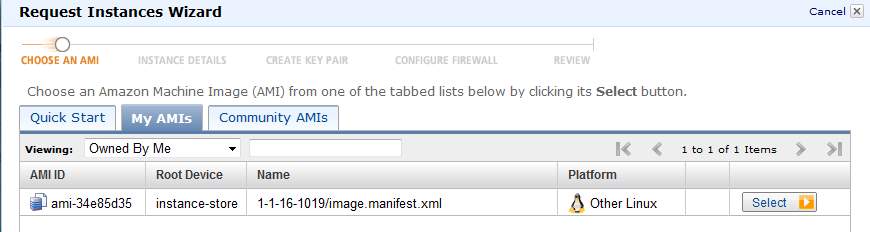
ec2インスタンスとして起動できるようになったが、しかし、
root-deviceがinstance-storeで、EBS利用でないため、macroインスタンス起動できない。
次回はEBSのAMIを作成したい。が、先にchefを続けよう。
***** centos用s3toolsをインストール ****
これはgetting startedに載っていなくて、出所忘れたのだがインストールする
[root@ip-10-150-174-103 tmp]# cd /etc/yum
yum/ yum.conf yum.repos.d/
[root@ip-10-150-174-103 tmp]# cd /etc/yum.repos.d/
[root@ip-10-150-174-103 yum.repos.d]# dir
amzn-main.repo amzn-updates.repo
[root@ip-10-150-174-103 yum.repos.d]# sudo wget http://s3tools.org/repo/CentOS_5/s3tools.repo
--2011-07-16 09:05:37-- http://s3tools.org/repo/CentOS_5/s3tools.repo
Resolving s3tools.org... 93.89.80.122, 2a01:348:0:6:5d59:50c3:0:b0b1
Connecting to s3tools.org|93.89.80.122|:80... connected.
HTTP request sent, awaiting response... 200 OK
Length: 301 [application/octet-stream]
Saving to: “s3tools.repoâ€
100%[======================================>] 301 --.-K/s in 0s
2011-07-16 09:05:38 (40.8 MB/s) - “s3tools.repoâ€
[root@ip-10-150-174-103 yum.repos.d]#
-「Create .chef directory」
.chefは上のほうで作成済み。
手順通り3つのファイルを.chef以下にコピーした。
-「Connect to Hosted Chef」
手順通り。接続できたのを核にした。
[ec2-user@ip-10-150-174-103 .chef]$ cd ~/chef-repo/
[ec2-user@ip-10-150-174-103 chef-repo]$ ls
certificates config data_bags Rakefile roles
chefignore cookbooks environments README.md
[ec2-user@ip-10-150-174-103 chef-repo]$ knife client list
ip-10-146-7-97.ap-northeast-1.compute.internal
nobu-validator
以上でchefのワークステーションとしてのセットアップは完了
登録:
投稿 (Atom)